
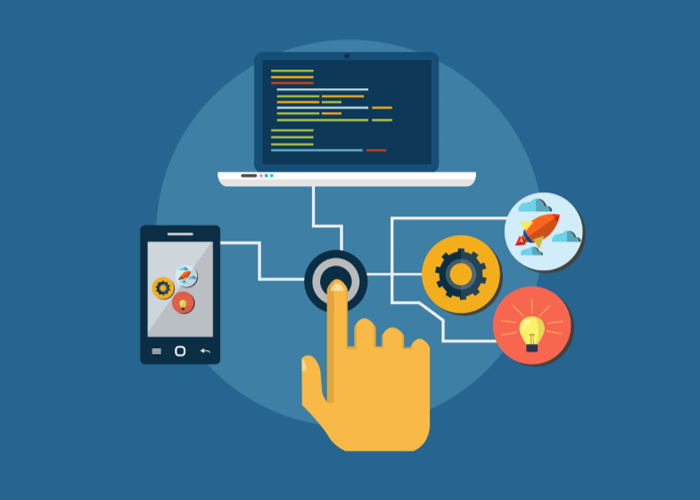
The user interface is the face of your application. It’s what your customers see, click, swipe, and interact with every day. If the graphical user interface (GUI) fails, the user’s trust fails with it. That’s why testing the GUI has always been a critical part of software quality assurance.
For years, GUI testing was a manual endeavor—testers would click through screens, verify button behaviors, and log defects by hand. But as development cycles have accelerated and applications have grown more complex, manual GUI testing has become a bottleneck. Enter automated GUI testing: a shift that promises speed, consistency, and broader coverage.
But what does that transition actually look like? What should your team expect when moving from manual to automated GUI testing? In this guide, we’ll explore the realities of that switch, the benefits you can anticipate, the challenges to prepare for, and the best practices that will set you up for success.
What Is Automated GUI Testing?
Before diving into expectations, it’s essential to understand exactly what automated GUI testing entails.
GUI stands for Graphical User Interface—the visual layer of an application that users interact with. This includes buttons, menus, text fields, images, icons, and any other interactive or visual element. GUI testing verifies that these elements behave correctly: buttons trigger the right actions, data displays accurately, navigation flows as intended, and visual layouts remain consistent across devices and screen sizes.
When we add automation to GUI testing, we replace manual clicking and visual verification with software tools that simulate user interactions and programmatically validate outcomes. Automated GUI tests can:
- Simulate mouse clicks, keyboard inputs, swipes, and gestures
- Capture and compare screenshots to detect visual regressions
- Validate that expected elements appear or disappear based on user actions
- Run the same test scripts across thousands of device and browser combinations
- Execute test suites overnight or as part of continuous integration pipelines
The goal is not to eliminate manual testing entirely but to automate the repetitive, high-volume, and regression-focused aspects so that human testers can focus on exploratory, usability, and complex scenario testing.
What to Expect When Switching to Automated GUI Testing
Transitioning from manual to automated GUI testing is not just a tool change—it’s a process change. Here’s what your team can realistically expect.
1. Detailed, Consistent Reporting
One of the first benefits you’ll notice is the depth and reliability of test reports. Automated testing tools record every step: which elements were clicked, what data was entered, what the expected outcome was, and whether the actual outcome matched. This data is logged consistently, without the gaps that human fatigue or oversight can introduce.
What this means for your team:
You’ll have objective, shareable evidence of test results. Stakeholders can see exactly what was tested, how it was tested, and whether it passed or failed. This transparency builds confidence across development, product management, and executive teams.
2. Higher Reliability and Repeatability
Manual testing suffers from human limitations. After the tenth test cycle, even the most diligent tester may miss a step or misrecord a result. Automated tests, however, execute the same sequence exactly the same way every time—whether it’s the first run or the hundredth.
What this means for your team:
You can trust that a passing test truly indicates the feature works as expected. Regression testing becomes reliable, and you no longer have to worry about whether a bug slipped through because a tester was fatigued.
3. A Shift in Skills and Roles
Automated GUI testing requires a different skill set than manual testing. Your team will need expertise in:
- Automation frameworks (e.g., Selenium, Cypress, Playwright, Appium)
- Programming or scripting languages (depending on the tool)
- Test design patterns (like Page Object Model)
- CI/CD integration
What this means for your team:
Some manual testers will upskill into automation roles. Others may focus more heavily on exploratory and usability testing. You may also need to hire or contract automation specialists initially. This shift is an investment, but one that pays dividends in long-term efficiency.
4. Codeless Options for Non-Experts
Not every team member needs to be a programmer to contribute to automated GUI testing. Many modern tools offer codeless or low-code capabilities—often through record-and-playback interfaces or visual test builders. This allows business analysts, product owners, or junior testers to create and maintain tests without writing code.
What this means for your team:
Automation becomes accessible to a broader group of contributors. You can scale your testing efforts without requiring every participant to have deep programming expertise.
5. Data-Driven Testing Capabilities
Automated GUI testing tools often support data-driven testing, where you separate test logic from test data. Instead of hardcoding values, you feed test cases from external sources like spreadsheets, databases, or JSON files. The same test script then runs multiple times with different data sets, verifying positive and negative scenarios efficiently.
What this means for your team:
You can achieve far broader test coverage with fewer scripts. Data-driven testing also makes it easier to maintain tests when data changes—you update the data source, not dozens of individual scripts.
Best Practices for Successful Automated GUI Testing
To maximize the return on your automation investment, follow these proven practices.
1. Distinguish What to Automate vs. What to Keep Manual
Not every test case is a good candidate for automation. A thoughtful test selection strategy is essential.
| Good Candidates for Automation | Better Kept Manual |
|---|---|
| Repetitive regression tests | Usability and user experience evaluation |
| Tests that run frequently (e.g., per build) | Exploratory testing |
| Tests that require data-driven validation | One-time or ad-hoc tests |
| Tests across multiple browsers/devices | Visual design approval (though visual AI tools can help) |
| Tests that are stable and unlikely to change often | Tests for features still in active flux |
Approach: Start by automating your highest-value, most repetitive tests. As your framework matures, expand coverage incrementally.
2. Combine Multiple Test Types
Automated GUI testing should not exist in isolation. For comprehensive quality, combine:
- Smoke tests – Verify critical paths (e.g., login, core workflow) on every build.
- Regression suites – Confirm that new changes haven’t broken existing functionality.
- Cross-browser/device tests – Validate behavior across different environments.
- Visual regression tests – Catch unintended visual changes using screenshot comparison tools.
Why it matters: A single type of test only gives you a partial picture. A combination approach catches different classes of bugs and provides a more complete safety net.
3. Keep Tests Simple and Maintainable
Complex, brittle tests are a common pitfall. When tests are hard to understand or maintain, teams often abandon them.
Guidelines for simplicity:
- Follow the Page Object Model (POM) – Encapsulate page elements and interactions in reusable classes. This centralizes locators and makes tests resilient to UI changes.
- Avoid hardcoded waits – Use explicit waits that wait for specific element states rather than arbitrary delays.
- Write test cases as small, focused validations – Avoid long, monolithic test scripts that test multiple unrelated features.
- Use meaningful naming conventions – Test names should clearly indicate what they verify.
Remember: The goal is to test the application as users experience it—clean, straightforward workflows that deliver value.
4. Integrate Automation into CI/CD Early
Automated tests deliver maximum value when they run automatically as part of your development pipeline. Integrate your GUI tests with CI/CD tools (Jenkins, GitLab CI, GitHub Actions, etc.) so that:
- Tests trigger automatically on pull requests
- Failed tests block merges or deployments
- Test results are visible to developers immediately
Why it matters: Early, automated feedback prevents bugs from reaching staging or production. It also shifts quality left—making developers active partners in maintaining test health.
Overcoming Common Challenges
Even with the best planning, teams face hurdles when adopting automated GUI testing. Here’s how to navigate them.
Challenge 1: Test Flakiness
GUI tests are notoriously prone to flakiness—tests that fail intermittently without actual application defects. Common causes include timing issues, dynamic content, or environment instability.
Solution:
- Use robust element locators (prefer
data-testidattributes over fragile CSS classes). - Implement smart waits rather than fixed sleeps.
- Retry failed tests judiciously, but investigate root causes.
Challenge 2: High Maintenance Overhead
When the application UI changes frequently, automation scripts can require constant updates.
Solution:
- Adopt the Page Object Model to centralize locators.
- Involve automation engineers early in the design process to ensure testability is built in.
- Regularly refactor tests to remove duplication and simplify.
Challenge 3: Tool Selection Overwhelm
The landscape of GUI automation tools is vast: Selenium, Cypress, Playwright, TestComplete, Ranorex, and many more. Each has strengths and trade-offs.
Solution:
- Align tool choice with your team’s skills, application architecture (web, mobile, desktop), and budget.
- Start with a proof of concept on a small, representative feature before committing.
- Consider that open-source tools (like Playwright or Cypress) offer flexibility, while commercial tools often provide codeless interfaces and support.
The ROI of Automated GUI Testing
When implemented effectively, automated GUI testing delivers measurable returns:
- Faster release cycles – Regression testing that once took days can now run in hours or minutes.
- Reduced production defects – Consistent, repeatable testing catches regressions before they reach users.
- Lower testing costs over time – While initial setup requires investment, the cost per test run drops dramatically compared to manual execution.
- Better team morale – Testers move from repetitive clicking to higher-value activities like exploratory testing and test strategy.
How TestUnity Helps You Succeed with Automated GUI Testing
Making the switch to automated GUI testing doesn’t have to be a leap into the unknown. TestUnity partners with organizations to make this transition smooth, effective, and scalable.
Our QA experts help you:
- Select the right tools – We assess your application, team skills, and goals to recommend the optimal automation framework.
- Build a sustainable test architecture – We implement patterns like Page Object Model that keep tests maintainable for years.
- Upskill your team – Through hands-on collaboration, we help your existing testers gain automation skills.
- Provide on-demand automation – Need to accelerate coverage quickly? Our dedicated automation engineers can build and execute test suites alongside your team.
Whether you’re just starting your automation journey or looking to scale existing efforts, TestUnity brings the expertise to ensure you realize the full benefits of automated GUI testing.
Conclusion
Switching to automated GUI testing is more than a tool upgrade—it’s a strategic shift toward faster, more reliable software delivery. You can expect detailed reporting, greater consistency, and the ability to scale testing across devices and data sets. But success requires thoughtful planning: choosing the right test cases to automate, maintaining simple and robust scripts, and integrating automation into your CI/CD pipeline.
The transition takes effort, but the rewards—faster releases, fewer production bugs, and a more empowered QA team—are well worth it.
Ready to automate your GUI testing? Contact TestUnity today to discuss how our experts can help you build a sustainable, high-impact automation strategy.
Related Resources
- Gap Analysis in QA – Read more
- Pros and Cons of Cloud-Based Testing for Mobile Applications – Read more

TestUnity is a leading software testing company dedicated to delivering exceptional quality assurance services to businesses worldwide. With a focus on innovation and excellence, we specialize in functional, automation, performance, and cybersecurity testing. Our expertise spans across industries, ensuring your applications are secure, reliable, and user-friendly. At TestUnity, we leverage the latest tools and methodologies, including AI-driven testing and accessibility compliance, to help you achieve seamless software delivery. Partner with us to stay ahead in the dynamic world of technology with tailored QA solutions.








Leave a Reply