

In the journey from a functional software build to a successful product loved by its market, one phase stands out for its unique ability to bridge the gap between developer assumptions and user reality: beta testing. Unlike the controlled, internal environments of functional testing or performance testing, beta testing involves releasing a near-complete version of the software—the “beta”—to a select group of real, external users in their natural environments. This critical stage is not about finding obvious bugs, but about validating usability, uncovering unforeseen use cases, and gauging overall satisfaction before a full-scale launch.
A well-executed beta testing program transforms users into collaborative partners, providing an irreplaceable source of truth about how your product performs in the wild. It answers pivotal questions: Is the user interface intuitive? Does the feature set solve real problems? How does the application behave across a myriad of unanticipated device and network conditions? As we progress in 2026, where user experience is the ultimate competitive differentiator, mastering beta testing is a strategic imperative for product teams seeking to mitigate risk and maximize product-market fit.
Table of Contents
ToggleThe Strategic Role of Beta Testing in the Development Lifecycle
Beta testing occupies a specific and crucial niche in the product development timeline. It occurs after alpha testing (internal, feature-complete testing) and before the official public release or General Availability (GA).
Its core objectives are distinct from earlier testing phases:
-
User Experience (UX) Validation: To assess the intuitiveness, learnability, and overall satisfaction of the user interface and workflows.
-
Compatibility & Configuration Testing: To uncover issues across the vast, fragmented matrix of real-world hardware, operating systems, browsers, and third-party software that internal labs cannot replicate.
-
Performance Under Real-World Load: To observe how the system handles the load, data, and usage patterns of actual users, which often differ from synthetic load tests.
-
Market Validation & Feedback: To gather insights on feature usefulness, pricing perception, and overall value proposition from the target audience.
-
Identifying Critical “Show-Stopper” Bugs: To catch severe, edge-case bugs that only manifest under specific, real-world usage scenarios missed in internal testing.
In essence, if user acceptance testing (UAT) validates “Does the software meet the business requirements?”, beta testing answers “Do real users want and enjoy using this product in their daily lives?”
Types of Beta Testing: Choosing Your Approach
Not all beta tests are the same. The methodology can be tailored based on goals, audience, and product type.
| Type | Description | Best For | Key Consideration |
|---|---|---|---|
| Closed Beta | A private, invite-only test with a limited, selected group of users. | Gathering deep, focused feedback from a targeted demographic (e.g., industry experts, power users). | Requires careful recruitment and management of a smaller, highly engaged cohort. |
| Open Beta | A public test available for anyone to join, often announced widely. | Stress-testing infrastructure at scale, generating broad awareness, and collecting large-volume feedback. | Less control over feedback quality; can be perceived as a “soft launch.” |
| Technical Beta | Focused on users with technical expertise who can provide detailed bug reports and performance data. | Complex software, developer tools, or infrastructure products where technical depth is crucial. | Feedback is highly detailed but may lack perspective on general user experience. |
| Focused Beta | Targets feedback on specific, new features or changes within an existing product. | Iterative development of major new versions or feature sets for established products. | Keeps the scope clear for testers and the analysis manageable for the team. |
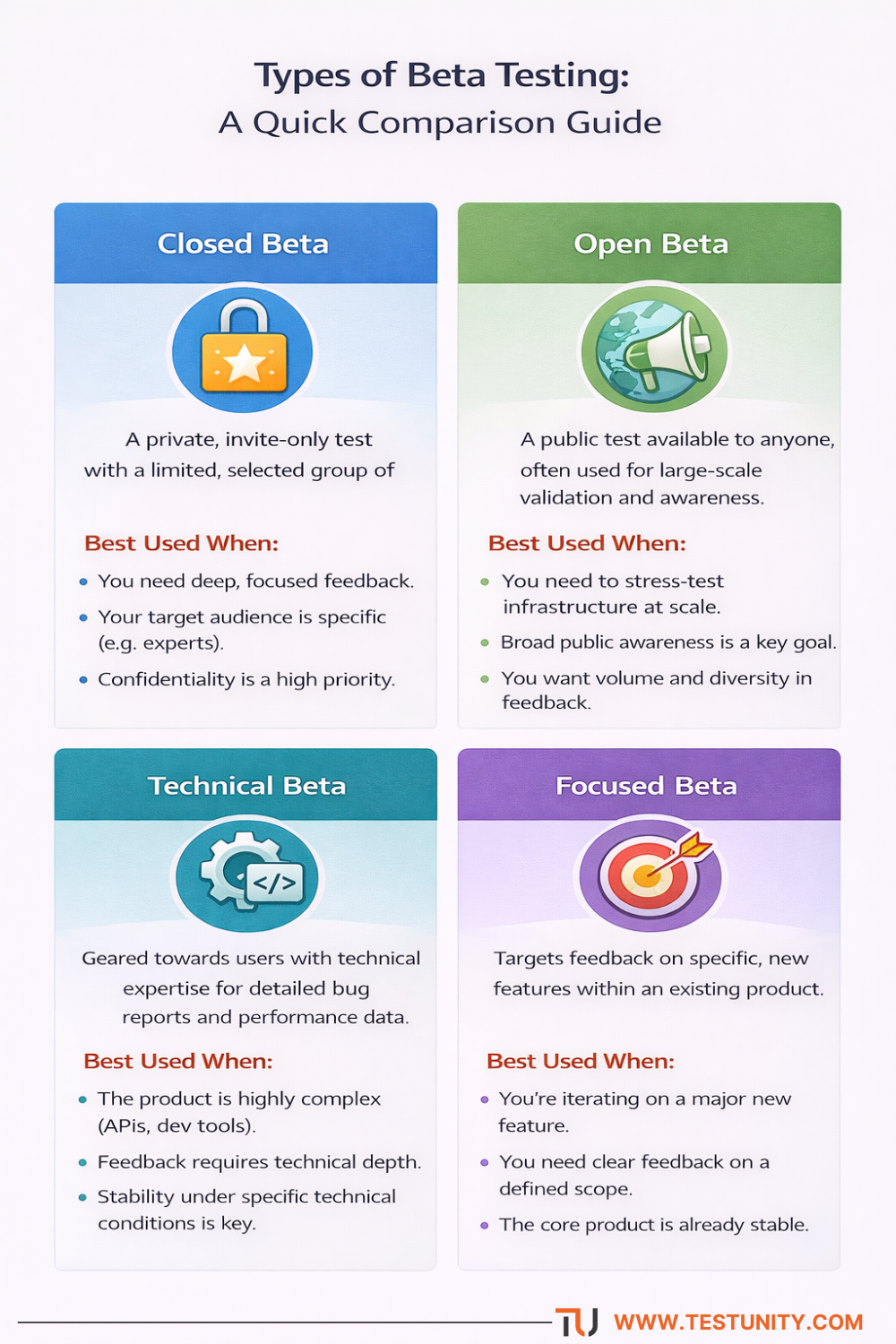
Choosing the right beta testing approach depends on your goals. This guide provides an at-a-glance comparison to help you select the most effective method for your product’s needs.
Phases of a Successful Beta Testing Program
A structured approach transforms a beta test from a chaotic feedback free-for-all into a reliable source of strategic insights.
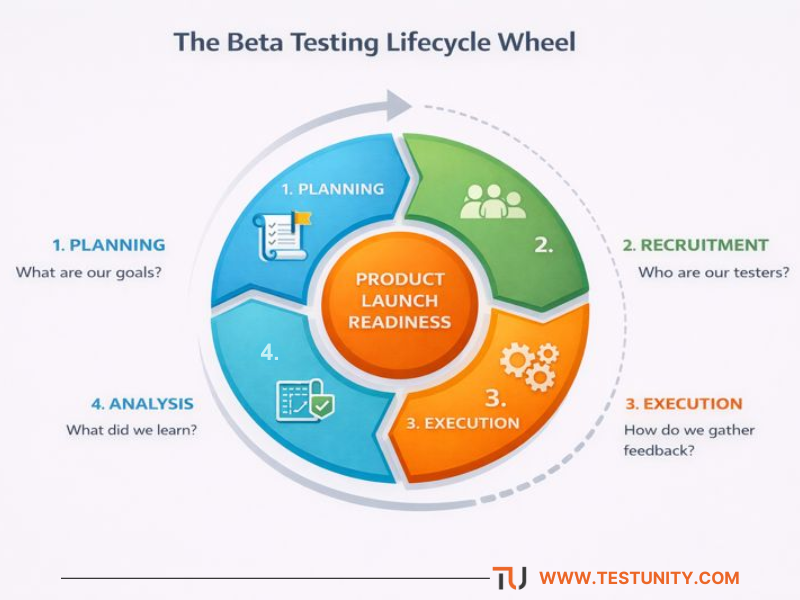
Beta testing is a continuous, strategic cycle. Each phase—from initial planning to final analysis—feeds into the next, with insights directly informing product readiness and future development.
Phase 1: Planning & Preparation
This foundational phase determines the success of the entire program.
-
Define Clear Goals & Success Metrics: What are you trying to learn? (e.g., “Validate the usability of the new checkout flow,” “Ensure compatibility with the top 5 mobile devices.”). Establish KPIs like task completion rate, System Usability Scale (SUS) score, or crash-free sessions.
-
Build the Beta Release: The version should be stable and feature-complete enough for meaningful feedback but clearly labeled as a preview. Implement robust feedback and analytics mechanisms directly into the build.
-
Develop a Participant Guide: Create clear documentation that outlines the test’s purpose, duration, how to report bugs/feedback, and where to get support.
Phase 2: Recruitment & Onboarding
The quality of your beta testers directly impacts the quality of your insights.
-
Ideal Participant Profile: Recruit users who represent your target market. Look for a mix of technical and non-technical users. Offer incentives (early access, swag, subscription discounts) to encourage participation.
-
The Onboarding Process: Use a welcome email or portal to set expectations, provide access credentials, and direct testers to the participant guide. A kick-off webinar can boost engagement.
Phase 3: Execution & Monitoring
This is the active testing period, typically lasting 4-8 weeks.
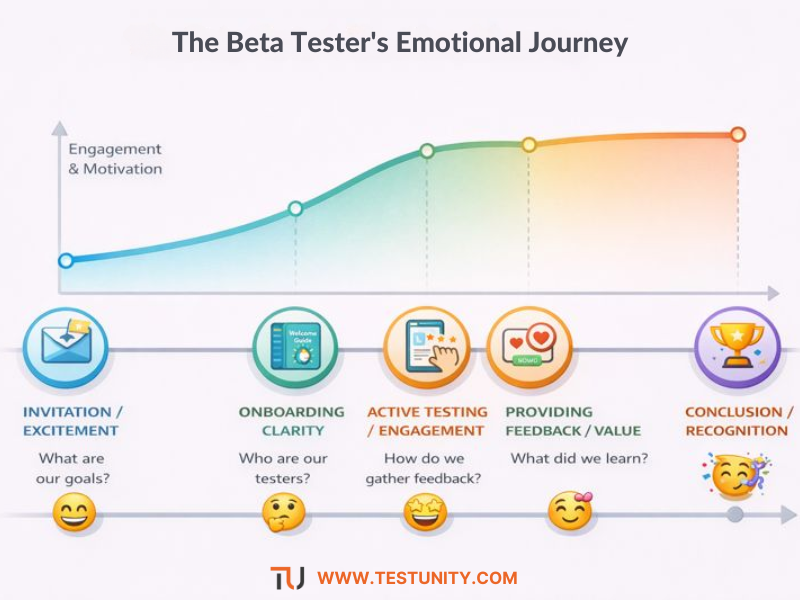
Mapping the beta tester’s journey reveals key touchpoints where engagement must be nurtured. A positive, supported experience directly correlates with the quality and quantity of feedback received.
- Facilitate Engagement: Use a dedicated channel (forum, Slack, Discord) to foster community, answer questions, and share updates. Regular check-ins (surveys, emails) keep the test top-of-mind.
- Triangulate Data: Collect feedback through multiple streams:
-
-
Direct Feedback: In-app feedback tools, bug reports, and survey responses.
-
Observational Data: Analytics on feature usage, flow dropout points, and performance metrics.
-
Community Discussion: Insights from conversations between testers in your dedicated channel.
-
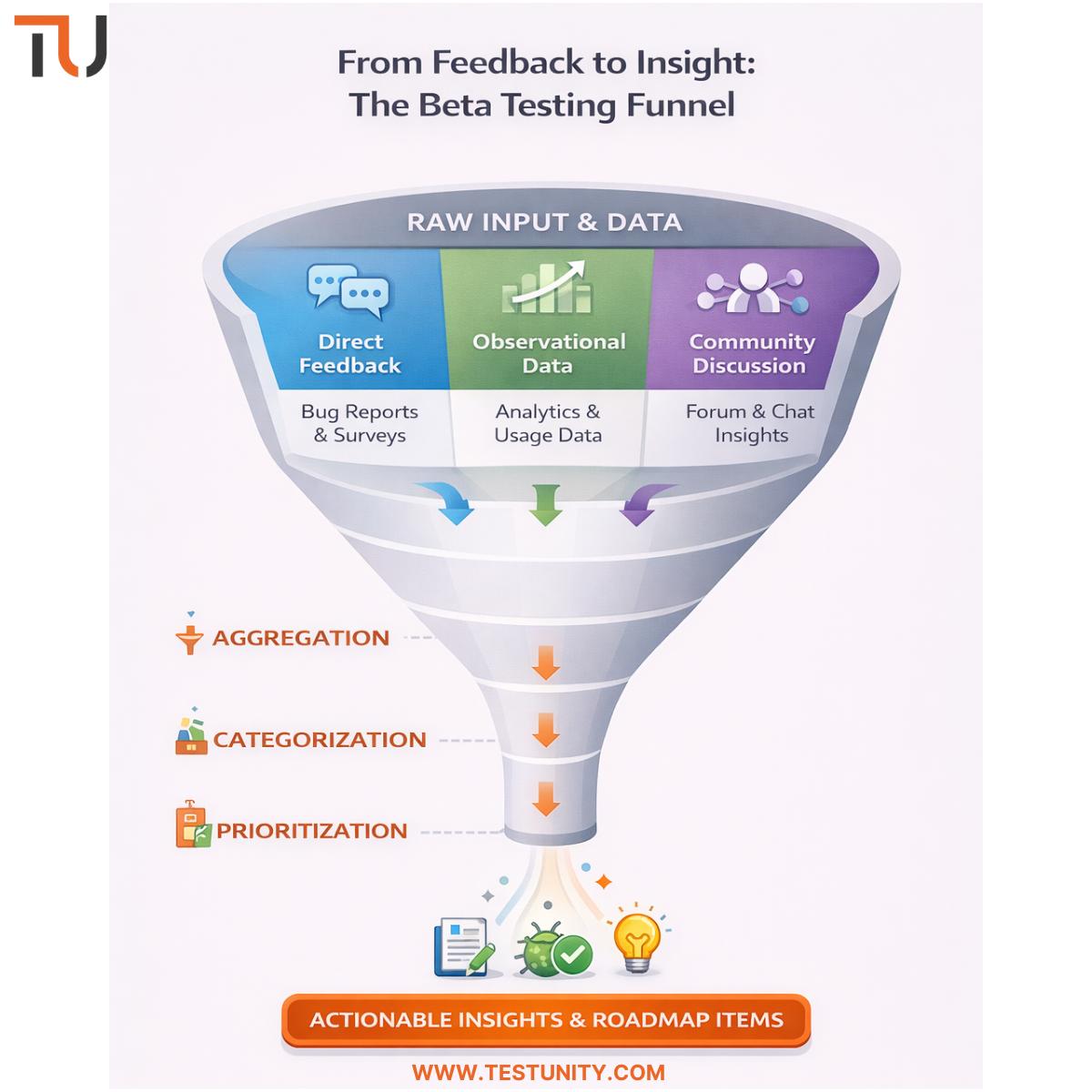
Managing beta feedback effectively requires a structured filtration process. The feedback funnel transforms high-volume, raw data from multiple streams into prioritized, actionable intelligence for the product team.
Phase 4: Analysis & Action
The work after the test closes is where value is realized.
-
Aggregate and Categorize Feedback: Use a centralized system to log all feedback. Tag and categorize issues (e.g.,
Bug:Critical,UX:Confusing,Feature Request). -
Prioritize Findings: Not all feedback is equally urgent. Prioritize based on severity, frequency, and alignment with product goals. A critical bug affecting many users is a P0; a nice-to-have UI tweak is a P3.
-
Create a Master Report & Roadmap: Synthesize findings into a report for stakeholders. Most importantly, translate insights into a concrete action plan for the development team, directly informing the pre-launch bug-fix sprint and the post-launch product roadmap.
Key Challenges and Mitigation Strategies
Even well-planned beta tests face hurdles. Anticipating them is key.
-
Challenge: Low Participant Engagement
-
Mitigation: Recruit a slightly larger group than needed. Maintain active communication. Make feedback submission as easy as possible (e.g., in-app screenshot with annotation).
-
-
Challenge: Overwhelming Volume of Low-Quality Feedback
-
Mitigation: Provide clear templates for bug reports. Use structured surveys (e.g., NPS, SUS) for specific feedback. Appoint a community manager to guide discussions.
-
-
Challenge: Managing Expectations (It’s a Test, Not a Launch)
-
Mitigation: Clearly communicate the beta status. Be transparent about known issues. Set a clear end date for the program.
-
-
Challenge: Data Overload and Analysis Paralysis
-
Mitigation: Start analysis during the test, not after. Focus on the pre-defined goals and metrics. Use tagging and voting systems to surface the most important issues.
-
Integrating Beta Insights into the Quality Assurance Ecosystem
Beta testing should not exist in a vacuum. Its findings create a powerful feedback loop for the entire quality assurance process:
-
Informing Automated Regression Suites: Real-world bugs found in beta should have corresponding test cases added to your regression testing suite to prevent future regression.
-
Refining User Acceptance Criteria: Insights on user behavior can help product managers write better, more realistic acceptance criteria for future features.
-
Validating Performance Baselines: Real-user monitoring data from the beta can help set more accurate thresholds for performance testing in subsequent releases.
Conclusion: From Validation to Victory
A strategic beta testing program is the ultimate form of risk mitigation before a product launch. It moves validation out of the theoretical realm of internal checklists and into the practical, often unpredictable, world of the end-user. The insights gained—on usability, stability, and desirability—are unparalleled, providing the confidence needed to launch with conviction and a roadmap informed by genuine user need.
While the framework is universal, executing a flawless beta test demands significant resources, planning, and expertise in community management and data synthesis. For organizations looking to maximize the ROI of their beta efforts or to run a large-scale, targeted program, partnering with a specialized QA provider can be transformative. TestUnity’s end-to-end software testing services include designing and managing beta testing programs, from participant strategy and platform setup to comprehensive feedback analysis and reporting. We help you structure the chaos of user feedback into a clear, actionable blueprint for success.
Ready to leverage the power of real users to de-risk your launch and validate your product’s market fit? Contact TestUnity to discuss how we can help you design and execute a beta testing program that delivers the critical insights you need to launch with confidence.

TestUnity is a leading software testing company dedicated to delivering exceptional quality assurance services to businesses worldwide. With a focus on innovation and excellence, we specialize in functional, automation, performance, and cybersecurity testing. Our expertise spans across industries, ensuring your applications are secure, reliable, and user-friendly. At TestUnity, we leverage the latest tools and methodologies, including AI-driven testing and accessibility compliance, to help you achieve seamless software delivery. Partner with us to stay ahead in the dynamic world of technology with tailored QA solutions.









I really appreciate how you highlight beta testing as a strategic tool. It’s interesting how it goes beyond finding bugs and really focuses on gathering insights about user behavior and product fit in real-world conditions. This is often the phase where product teams truly learn what works and what doesn’t.
Thank you for your comment! We’re glad you found the insights on beta testing valuable. It’s indeed a key phase for understanding user behavior and refining product fit. Your engagement is much appreciated!
Thi is a great article no doubt about it, i just started following you and i enjoy reading this piece. Do you post often ? we have similar post on the german best freelancer platform called https://webdesignfreelancerdeutschland.de/ you can check it out if you want. Thank you
This is a topic close to my heart cheers, where are your contact details though?