
In the high-velocity world of modern software development, where new builds can be generated multiple times a day, not all testing can—or should—be exhaustive. Teams need intelligent, targeted checks to make rapid, confident decisions about whether to proceed with deeper, more time-consuming regression testing or to reject a build immediately. This is where two critical, yet often conflated, testing techniques come into play: smoke testing vs sanity testing.
While both are shallow, focused forms of testing, confusing them can lead to inefficient processes and flawed quality judgments. Understanding their distinct purposes, timing, and scope is essential for any QA engineer, developer, or release manager aiming to optimize their software testing pipeline. This guide will dissect the critical differences between smoke testing and sanity testing, providing clear definitions, practical use cases, and a strategic framework for implementing both effectively.
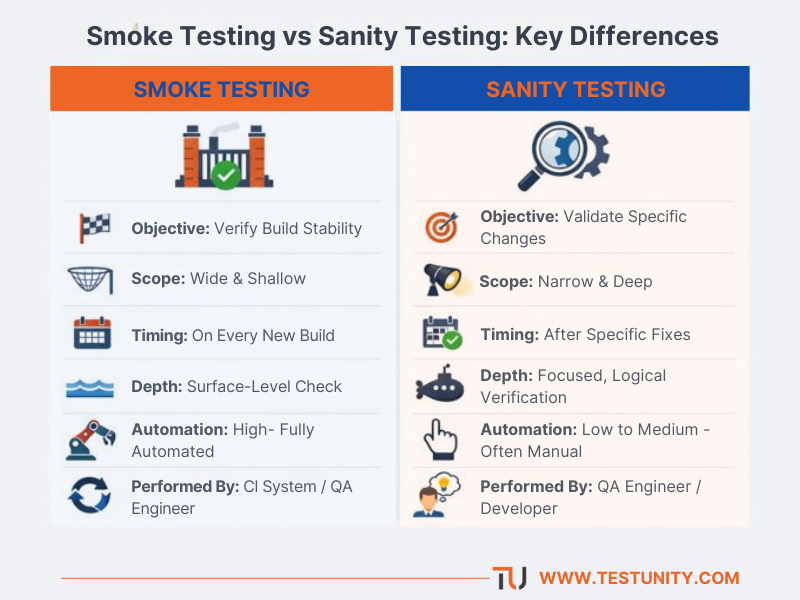
A quick-reference matrix comparing the core objectives, scope, and characteristics of Smoke Testing and Sanity Testing.
Defining the Gatekeeper: What is Smoke Testing?
Smoke Testing, formally known as Build Verification Testing (BVT), is the first line of defense in a continuous integration (CI) pipeline. Its primary purpose is to answer a fundamental question: “Is the build stable enough for further testing?”
Imagine a construction site receiving a shipment of materials. Before accepting the delivery and starting work, a foreman does a quick visual check: are the essential materials present, and do they appear undamaged? They don’t perform a stress test on every steel beam; they simply verify that the basics are in order to proceed. This is the essence of a smoke test.
Core Characteristics of Smoke Testing:
-
Broad & Shallow: It covers the application’s major, high-level functionalities without delving into deep, edge-case scenarios. For a web application, this might include: Can the application launch? Can users log in? Does the homepage load? Can you navigate to the main modules?
-
Scripted & Automated: Due to its repetitive nature at the start of every test cycle, smoke testing is an ideal candidate for test automation. Automated smoke suites provide instant feedback on build stability.
-
Performed on New Builds: It is executed whenever a fresh build is received from the development team—whether daily, with every commit, or at the start of a sprint.
-
Objective: Build Acceptance. A “pass” means the build is not critically broken and can be accepted for more rigorous testing. A “fail” signals a show-stopper bug that requires an immediate fix and a new build.
Example: After a new build of an e-commerce app, a smoke test would automatically check: app server starts, database connection works, home page loads, product search executes, and a user can add an item to the cart. If the cart functionality is completely broken, the build fails the smoke test.
Defining the Spotlight: What is Sanity Testing?
Sanity Testing is a narrow, deep, and unscripted form of testing. Its purpose is to answer a specific question: “Do the recent changes or fixes work as intended, and have they introduced any glaring, unexpected side effects in the affected area?”
Following the construction analogy, after electricians fix a reported issue with a specific circuit, you wouldn’t inspect the entire building. You would flip the light switch in that repaired room to see if it now works—a quick, focused check on the area of change. This is sanity testing.
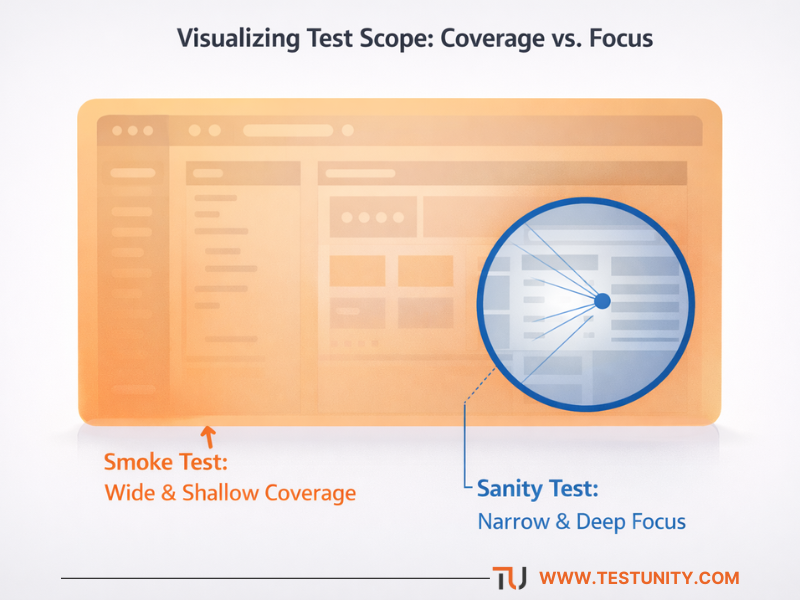
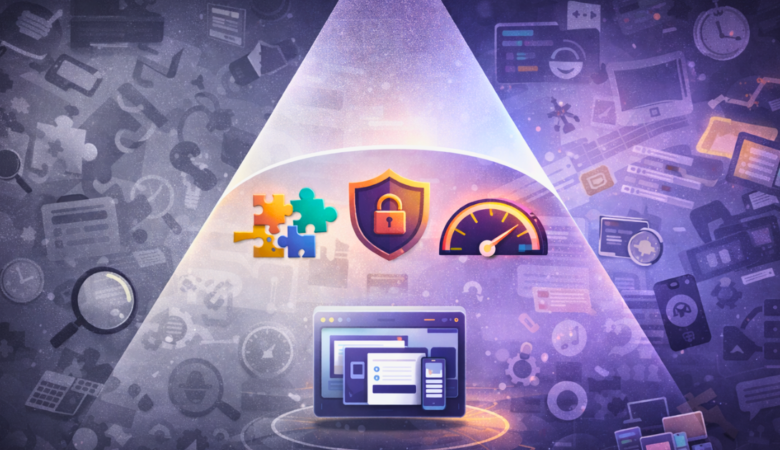
An abstract view of how smoke testing provides broad, shallow coverage across an entire application, while sanity testing drills down with deep focus on a specific area of change.
Core Characteristics of Sanity Testing:
-
Narrow & Deep: It focuses intensely on a specific function, bug fix, or a small set of related features that were just modified. The depth is greater than a smoke test but the scope is drastically smaller.
-
Often Unscripted & Manual: While it can be automated, sanity testing is frequently a rapid, exploratory effort performed by a tester who understands the change. It relies on the tester’s intuition and knowledge of the application.
-
Performed on Accepted Builds: It is conducted on a build that has already passed smoke testing, typically after specific bug fixes or minor feature additions.
-
Objective: Change Validation. A “pass” indicates that the particular change works correctly and hasn’t obviously broken the immediate functionality. It provides sanity for the team to proceed with broader regression testing.
Example: A developer fixes a bug where applying a specific discount coupon caused a calculation error. The sanity test would involve: applying that exact coupon on various product types, verifying calculations are now correct, and quickly checking that other, unrelated coupon types still work. It would not involve testing the checkout shipping options.
Smoke Testing vs Sanity Testing: A Side-by-Side Analysis
The table below crystallizes the key distinctions between these two critical verification methods:
| Aspect | Smoke Testing | Sanity Testing |
|---|---|---|
| Also Known As | Build Verification Testing (BVT), Confidence Testing | Surface Testing, Tester Acceptance Testing |
| Primary Objective | Verify build stability for further testing. | Verify specific functionality after a change. |
| Scope | Wide & shallow. Covers all major features. | Narrow & deep. Focuses on a specific feature/fix. |
| Nature | Scripted & documented. A predefined set of core tests. | Often unscripted & exploratory. Driven by the change. |
| Execution Timing | On every new build (daily, per commit). | On a stable build, after specific bug fixes or changes. |
| Test Depth | Surface-level verification of “happy path” scenarios. | Deeper validation within a limited functional area. |
| Ideal Automation Level | High. Should be fully automated for CI/CD speed. | Low to Medium. Often manual for flexibility. |
| Performed By | QA Engineers or automated CI pipelines. | QA Engineers, sometimes developers. |
| Outcome Decision | Build Reject/Accept. Should we invest more testing time? | Change Pass/Fail. Did this specific fix work correctly? |
Choosing the Right Test: A Quick Guide
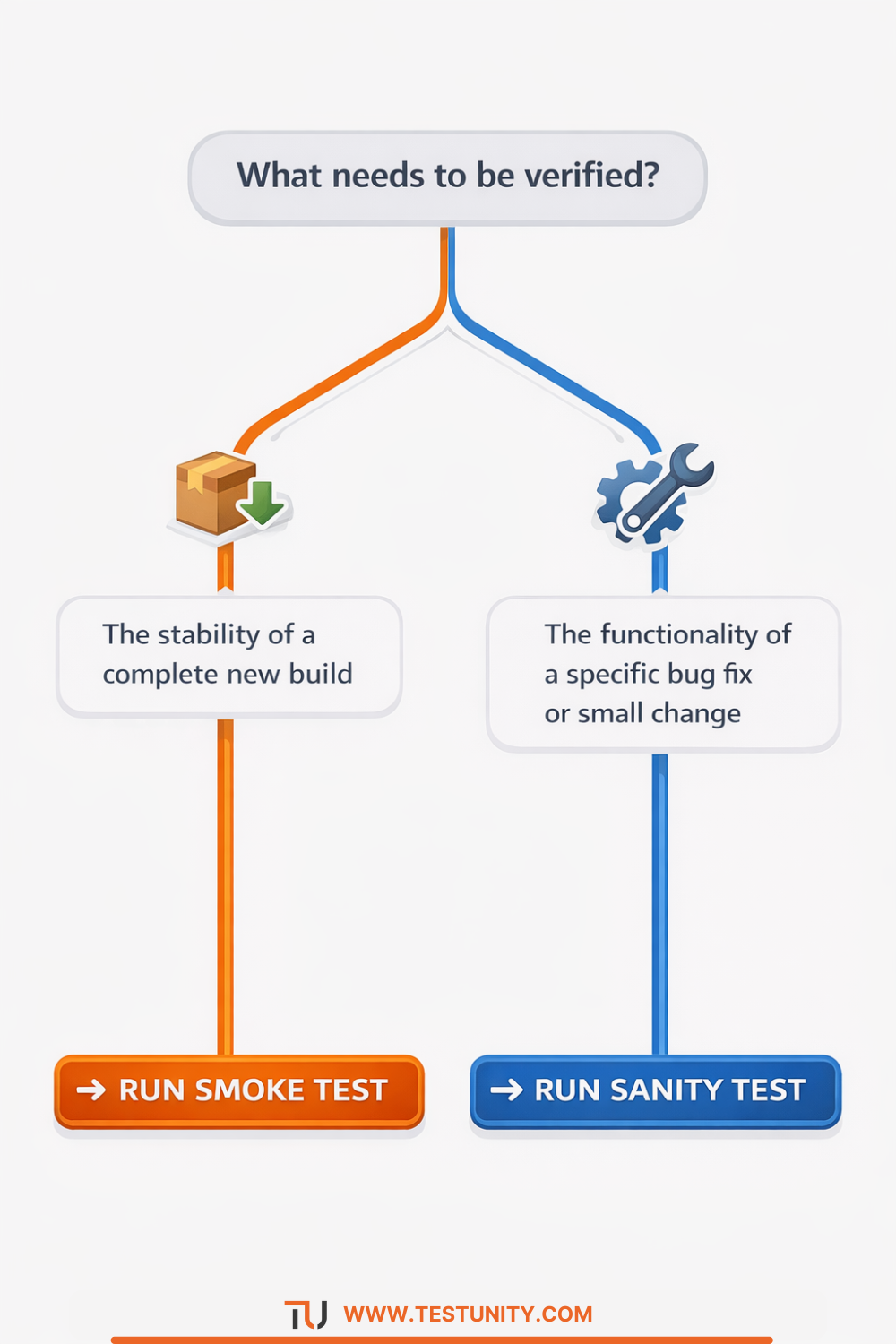
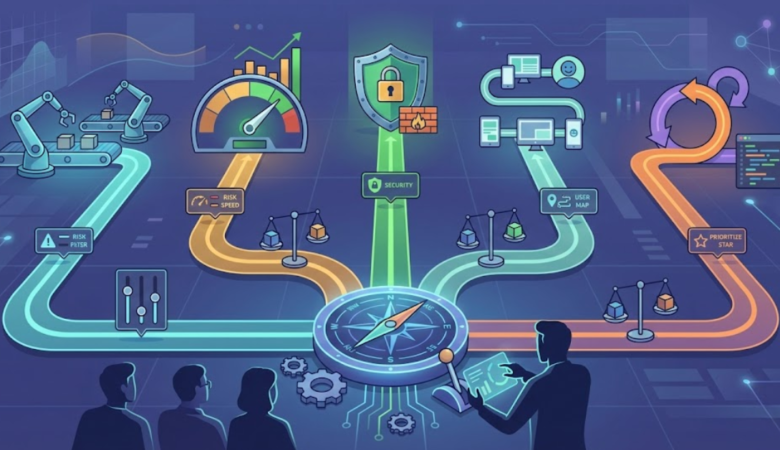
Use this simple decision tree to quickly determine whether a smoke test or a sanity test is the appropriate verification method for your current task.
Strategic Implementation: When to Use Each Method
Integrating both tests into your software testing services strategy creates a powerful quality filtration system.
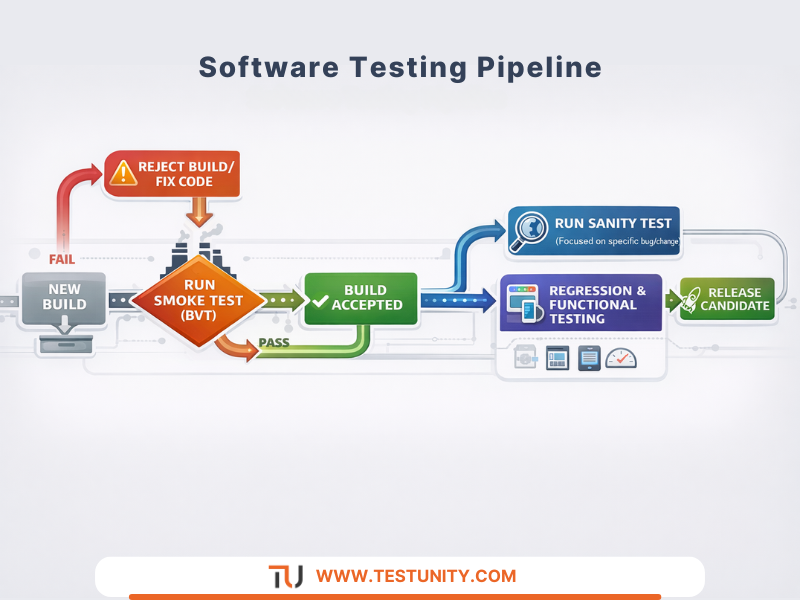
Visual workflow of a modern testing pipeline. Smoke testing acts as the mandatory gatekeeper for new builds, while sanity testing provides a focused check on specific changes after a build is accepted.
The Role of Smoke Testing in CI/CD
In a mature DevOps pipeline, automated smoke tests are the gatekeeper. They should be the first suite to run after a successful compilation in your CI/CD integration services pipeline.
-
Result: PASS → The build is automatically promoted to a testing environment where more comprehensive automated regression testing and functional testing can begin.
-
Result: FAIL → The build is automatically rejected. The development team is notified immediately to fix the critical issue, preventing wasted QA effort on a broken build. This is a cornerstone of an efficient test automation services strategy.
The Role of Sanity Testing in Agile Sprints
Within an Agile sprint, sanity testing is a crucial tool for validating stories or bug fixes before they are marked as “Done” or before a story moves to the broader regression test pool.
-
After a Bug Fix: A tester performs a sanity check on the exact scenario described in the bug report, plus a quick check of closely related functionality.
-
After a Small Feature Addition: Before deep-dive testing of the new feature, a sanity test verifies its basic operation within the existing UI/flow.
Tools and Best Practices for Effective Execution
For Smoke Testing:
-
Leverage Automation Frameworks: Use Selenium WebDriver, Cypress, or Playwright for web apps, and Appium for mobile, to create fast, reliable smoke suites.
-
Integrate Early: Execute the smoke suite as the first job in your Jenkins, GitLab CI, or GitHub Actions pipeline.
-
Keep it Fast & Stable: The suite must execute in minutes, not hours. Relentlessly combat flaky tests to maintain trust in the results.
For Sanity Testing:
-
Empower Testers with Context: Ensure testers have clear access to commit messages, pull request descriptions, and fixed issue details to guide their focus.
-
Combine with Exploratory Testing: Sanity testing is an excellent launchpad for a short, time-boxed exploratory session around the changed area.
-
Document Findings, Not Steps: While the test is unscripted, the bug reports or pass/fail conclusions must be clearly documented and linked to the specific change.
Conclusion: Complementary Forces for Rapid Quality Assurance
Smoke testing and sanity testing are not competitors; they are complementary stages in a smart quality assurance strategy. Smoke testing acts as the coarse filter at the mouth of the river, catching large debris (critical failures) to protect the downstream testing ecosystem. Sanity testing acts as the focused spotlight, providing rapid, intelligent validation that specific changes are sound before broader resources are deployed.
Mastering when and how to apply each method prevents bottlenecks, optimizes testing effort, and provides teams with the timely, actionable feedback needed to maintain both speed and quality in today’s fast-paced development cycles. By embedding these targeted verification practices into your test automation strategy, you build a more resilient, efficient, and confident software delivery process.

TestUnity is a leading software testing company dedicated to delivering exceptional quality assurance services to businesses worldwide. With a focus on innovation and excellence, we specialize in functional, automation, performance, and cybersecurity testing. Our expertise spans across industries, ensuring your applications are secure, reliable, and user-friendly. At TestUnity, we leverage the latest tools and methodologies, including AI-driven testing and accessibility compliance, to help you achieve seamless software delivery. Partner with us to stay ahead in the dynamic world of technology with tailored QA solutions.






Great guide on smoke and sanity testing! I appreciate the clear distinctions and practical examples, especially the construction analogy that makes the concepts relatable. A question for readers: How do you balance automation and manual exploration when implementing sanity tests for minor feature updates?
Thank you for your feedback! We’re glad you enjoyed the guide and the construction analogy. Balancing automation and manual exploration in sanity testing is key. Automating core functionalities can save time, while manual testing allows for deeper exploration of minor feature updates. We’d love to hear how others handle this balance!
“This is a very practical guide for QA engineers and developers. The visual illustration contrasting broad smoke testing with focused sanity testing is particularly helpful. Curious: Could integrating both methods more strategically reduce wasted effort on unstable builds while maintaining high test coverage?”
Thank you for your thoughtful comment! We’re glad you found the guide practical and the visual illustration helpful. Integrating both smoke and sanity testing strategically can indeed minimize wasted effort on unstable builds while ensuring robust test coverage. By using smoke tests to quickly validate the overall stability and sanity tests to confirm specific fixes, teams can streamline their testing process and focus resources more effectively. If you have more thoughts or questions, we’d love to hear them!
Great explanation of smoke vs sanity testing! I always thought they were pretty much the same, but now I see the subtle but important differences. It’s interesting how smoke testing is more like a safety net before deeper testing, while sanity testing is about ensuring that a specific fix works as expected.
Thank you for your comment! We’re glad you found the differences between smoke and sanity testing insightful. You’re right—smoke testing serves as a safety net, while sanity testing ensures specific fixes work as intended. If you have any more questions, feel free to ask!
Thanks for the sensible critique. Me & my neighbor were just preparing to do a little research on this. We got a grab a book from our area library but I think I learned more clear from this post. I am very glad to see such fantastic info being shared freely out there.
Thank you for your kind words! We’re thrilled to hear that you found the information helpful. It’s great that you and your neighbor are diving into some research together—collaboration can lead to even deeper insights. If you have any questions or need further resources, feel free to reach out. Happy reading!
Very interesting points you have remarked, appreciate it for posting. “Without courage, wisdom bears no fruit.” by Baltasar Gracian.