
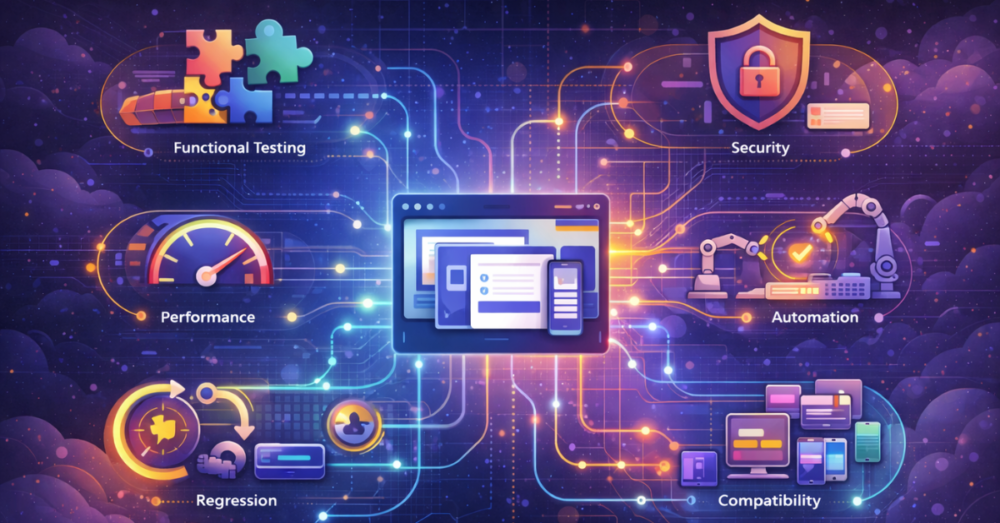
Navigating the world of software testing can feel like learning a new language. With dozens of methodologies, techniques, and specialized terms, teams often struggle to answer fundamental questions: Which test should we run? When should we run it? What value does it actually deliver? This confusion can lead to critical gaps in quality, wasted effort on redundant tests, and ultimately, software that fails to meet user expectations.
This guide serves as your definitive software testing cheat sheet—a practical, comprehensive reference that cuts through the complexity. We’ll move beyond textbook definitions to provide a clear framework for understanding software testing types, complete with real-world testing examples, strategic context, and actionable guidance on building a balanced testing strategy. Whether you’re a new tester, a developer adopting QA responsibilities, or a manager optimizing your process, this resource will help you select and apply the right test at the right time.
Why a “Testing Type” Framework Matters: From Chaos to Strategy
Before diving into individual tests, it’s crucial to understand why categorization matters. Without a framework, testing becomes a reactive, ad-hoc activity. A strategic taxonomy helps you:
-
Ensure Comprehensive Coverage: It acts as a checklist to ensure you’re not missing a critical dimension of quality, such as security, usability, or performance.
-
Optimize Resources: By understanding the purpose of each test type, you can allocate your team’s time and tools effectively, avoiding duplication of effort.
-
Improve Communication: It provides a shared vocabulary for developers, testers, product managers, and stakeholders to discuss quality precisely.
-
Integrate with Development Methodologies: It shows how different tests fit into Agile, DevOps, and Waterfall cycles, enabling smoother workflows.
The most effective way to categorize testing is through multiple lenses. We’ll explore four key dimensions: 1) Testing Objective (Functional vs. Non-Functional), 2) Testing Method (Manual vs. Automated), 3) Knowledge of System (Black-Box, White-Box, Grey-Box), and 4) Phase of Testing (The Testing Pyramid).
Dimension 1: Testing by Objective – What Are We Verifying?
This is the most fundamental way to classify testing. It separates tests that check what the system does from tests that check how well the system performs.
A. Functional Testing: Verifying “Does It Work?”
Functional testing validates that the software’s features and functions operate according to the specified requirements. It’s about behavior and correctness.
| Testing Type | Core Question | Real-World Example | Primary Tools & Techniques |
|---|---|---|---|
| Unit Testing | Does this individual function or method work correctly in isolation? | A calculateDiscount(orderTotal, userStatus) function should apply a 10% premium discount correctly and not for standard users. |
JUnit (Java), NUnit (.NET), pytest (Python), Jest (JavaScript). Done by developers. |
| Integration Testing | Do these modules or services work together correctly when connected? | After a user submits an order, does the Order Service correctly pass data to the Payment Service and Inventory Service? |
Test frameworks with integration focus (e.g., Spring Boot Test), API testing tools like Postman or RestAssured. |
| System Testing | Does the complete, integrated system meet all specified requirements? | As an end-user, can I complete the full journey: search for a product, add it to cart, apply a coupon, check out, and receive a confirmation email? | End-to-end (E2E) testing tools like Selenium, Cypress, or Playwright. This is a core black-box testing activity. |
| Smoke Testing | Is the build stable enough for further, more detailed testing? | After a new deployment, verify the main application loads, users can log in, and the core homepage navigation works. | A subset of automated regression tests or quick manual checklists. Also called “Build Verification Testing.” |
| Sanity Testing | Do specific bug fixes or new features work as intended? | After fixing a bug where the login failed on Safari, verify specifically that login now works on Safari. | Narrow, focused testing on changed areas. Often manual. |
| Regression Testing | Did new changes break any existing functionality? | After adding a new payment method, re-run tests for all other existing payment methods, cart calculations, and checkout flows. | Heavy reliance on test automation. A strong test automation strategy is essential here. |
| User Acceptance Testing (UAT) | Does this software satisfy the business needs and is it ready for release? | In an e-commerce app, a business owner validates that the new “Bulk Order” feature matches the procurement team’s workflow requirements. | Typically manual, conducted by business users or product owners in a staging environment. |
B. Non-Functional Testing: Verifying “How Well Does It Work?”
Non-functional testing evaluates the quality attributes of the system—its performance, security, usability, and more. These are the tests that determine if the software is production-ready.
| Testing Type | Core Question | Real-World Example | Primary Tools & Techniques |
|---|---|---|---|
| Performance Testing | How does the system behave under various load conditions? | Load Testing: Can the ticket booking website handle 10,000 concurrent users trying to purchase at 9 AM? Stress Testing: What happens to the app when database connections are saturated? Endurance Testing: Does the system maintain stability over 48 hours of constant use? |
JMeter, k6, Gatling, LoadRunner. Part of performance engineering. |
| Security Testing | Is the application vulnerable to threats and is data protected? | Can an attacker perform SQL injection through the login form? Are user passwords stored as encrypted hashes? Is the API endpoint for user data accessible without proper authentication? | SAST/DAST scanners (OWASP ZAP, Burp Suite), manual penetration testing. Explore our guide on security testing for businesses. |
| Usability Testing | How intuitive, efficient, and satisfying is the application for the end-user? | Can first-time users figure out how to upload a document within 30 seconds? Do users consistently misinterpret a certain icon? | User sessions, heatmaps, A/B testing platforms. Often involves exploratory testing techniques. |
| Compatibility Testing | Does the software work across all required environments? | Does the web app render and function correctly on Chrome 120, Firefox 121, Safari 17, and on mobile screens (iOS & Android)? | Cloud-based testing platforms like BrowserStack or Sauce Labs for cross-browser/device testing. |
| Accessibility Testing | Can people with disabilities use the software effectively? | Can a visually impaired user navigate the entire site using a screen reader (like JAWS)? Do all interactive elements have sufficient color contrast? | Automated scanners (axe-core), manual testing with screen readers, WCAG guideline checklists. |
Dimension 2: Testing by Method – How Is the Test Executed?
A. Manual Testing
Human testers execute test cases step-by-step without automation scripts.
-
Best For: Usability testing, exploratory testing, ad hoc testing, initial UAT, and testing features with frequently changing requirements.
-
Pros: Human intuition, flexibility, and ability to assess user experience and visual appeal.
-
Cons: Time-consuming, prone to human error, not reusable, slow for regression testing.
B. Automated Testing
Software tools and scripts execute pre-defined tests.
-
Best For: Regression testing, performance testing, load testing, repetitive functional testing (like data validation), and CI/CD pipeline integration.
-
Pros: Fast, repeatable, reliable for repetitive tasks, enables continuous testing.
-
Cons: High initial investment, requires maintenance, poor at judging subjective qualities like look-and-feel.
Strategic Insight: The goal is not to automate everything, but to automate the right things. Follow the Test Automation Pyramid: a wide base of automated unit tests, a smaller layer of integration/API tests, and a narrow top layer of UI-based E2E tests. This ensures speed, stability, and good coverage.
Dimension 3: Testing by Knowledge – How Much Can We See?
| Type | Tester’s Knowledge | Example Activity |
|---|---|---|
| Black-Box Testing | No internal knowledge. Tests based on inputs and outputs. | A tester uses the public API documentation to verify endpoints return the correct JSON, without knowing the code behind it. |
| White-Box Testing | Full knowledge of code, architecture, and internals. | A developer writes a unit test to achieve 100% branch coverage for a complex algorithm. |
| Grey-Box Testing | Partial knowledge (e.g., database schemas, architecture diagrams). | A tester, knowing how user data flows between services, designs tests to check for data consistency issues across the system. |
Dimension 4: Testing by Phase – The Practical Testing Pyramid
This dimension organizes tests by their scope and when they are run in the CI/CD pipeline. It’s a practical strategy for modern Agile and DevOps teams.
-
Foundation: Unit Tests
-
What: Test individual functions, methods, or classes.
-
Who: Developers.
-
When: Run locally on every code change and in the CI pipeline on every commit. They must be fast.
-
-
Middle Layer: Integration & API Tests
-
What: Test interactions between modules, databases, or microservices.
-
Who: Developers and SDETs (Software Development Engineers in Test).
-
When: Run in the CI pipeline on merges to the main branch. They are more expensive than unit tests but provide critical confidence in component interaction.
-
-
Top Layer: UI & End-to-End (E2E) Tests
-
What: Test complete user flows through the application UI.
-
Who: Automation engineers and QA.
-
When: Run in a later-stage pipeline (e.g., nightly, pre-release). They are the most brittle and expensive to maintain, so their number should be minimized and focused on critical user journeys.
-
This pyramid ensures you get rapid feedback on code logic, confidence in system integration, and validation of key business flows, all while optimizing the speed and cost of your test automation suite.
Putting It All Together: Your Strategic Testing Checklist
Use this actionable cheat sheet to plan your testing for a new feature or application:
| Development Phase | Primary Testing Types to Consider | Key Questions to Answer |
|---|---|---|
| Requirements & Design | – Static Testing (Review of specs) – Feasibility Analysis |
Are requirements testable? What are the major risk areas? |
| Development (Coding) | – Unit Testing (White-Box) – Static Code Analysis |
Is each code unit logically correct? Does code follow standards? |
| Integration Build | – Integration Testing – API Testing – Smoke Testing |
Do components interact correctly? Is the build stable? |
| System Complete | – System / Functional Testing (Black-Box) – Compatibility Testing – Security Testing |
Does the whole system meet requirements? Does it work in target environments? Is it secure? |
| Non-Functional Validation | – Performance Testing – Usability Testing – Accessibility Testing |
Is it fast and stable under load? Is it user-friendly? Is it accessible to all? |
| Pre-Release | – Regression Testing (Automated) – Sanity Testing – User Acceptance Testing (UAT) |
Did we break anything? Are the fixes good? Does the business accept it? |
| Post-Release | – Monitoring & Observability – Beta Testing – Chaos Testing (for resilient systems) |
How is it performing in production? What do real users experience? Can it handle unexpected failures? |
Conclusion: Building Your Customized Testing Toolkit
There is no one-size-fits-all suite of software testing types. The optimal mix for a life-saving medical device application (heavy on formal verification and regression testing) is vastly different from that of a marketing landing page (heavy on usability and cross-browser testing).
The art of modern quality assurance lies in strategically selecting from this cheat sheet to build a contextual, risk-based testing strategy. Start by asking:
-
What is the risk? (Financial, reputational, safety)
-
Who is the user? (Technical, general public, internal)
-
What is the technology stack? (Web, mobile, embedded, API-first)
-
What is our release cadence? (Weekly sprints, monthly releases, annual updates)
Your answers will guide you to prioritize certain testing types, invest in specific automation testing tools, and build a QA process that is both thorough and efficient.
Ready to move from theory to a tailored, high-confidence testing strategy? TestUnity’s experts can help you audit your current efforts, select the right testing types for your risk profile, and implement the automation frameworks and continuous testing practices you need to deliver quality at speed.

TestUnity is a leading software testing company dedicated to delivering exceptional quality assurance services to businesses worldwide. With a focus on innovation and excellence, we specialize in functional, automation, performance, and cybersecurity testing. Our expertise spans across industries, ensuring your applications are secure, reliable, and user-friendly. At TestUnity, we leverage the latest tools and methodologies, including AI-driven testing and accessibility compliance, to help you achieve seamless software delivery. Partner with us to stay ahead in the dynamic world of technology with tailored QA solutions.









I was recommended this website by my cousin I am not sure whether this post is written by him as nobody else know such detailed about my trouble You are amazing Thanks