
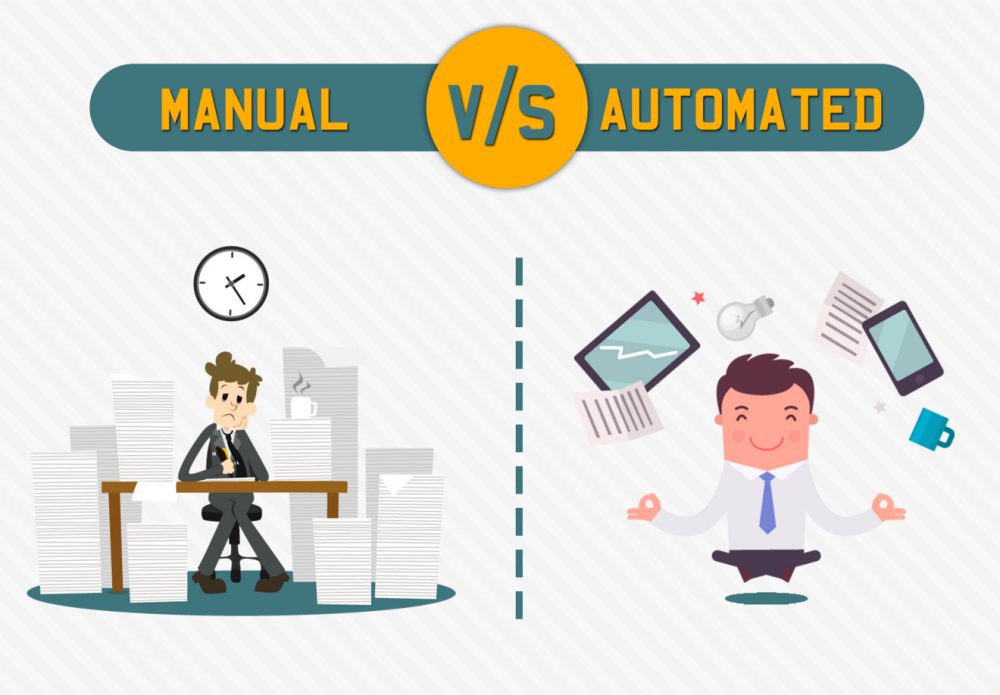
Software testing is a large domain, but it can be broadly classified into two core approaches: manual testing and automation testing. Both have their advantages and disadvantages, and understanding the difference—and knowing when to practice one or the other—is critical for any successful software project.
In manual testing, test cases are performed by a human without any help from tools or scripts. In automated testing, test cases are executed with the help of tools, scripts, and software.
The type of testing you choose depends on several factors, including project requirements, team expertise, budget, timeline, and suitability. The three critical factors of any project are time, cost, and quality. The goal is to reduce cost and time while maintaining high‑quality output. When it comes to testing, one approach may achieve this better than the other depending on the context.
This guide compares manual testing vs automation testing in detail, exploring how each works, their strengths and weaknesses, and when to use each approach in 2026.
Internal Link: For a deeper look at the role of human testers in modern workflows, read our guide on The Role of Manual Testing in DevOps.
What Is Manual Testing?
Manual testing is the process in which QA analysts perform tests one‑by‑one without automation tools. The goal is to detect bugs, usability issues, and feature discrepancies before a software application goes live.
When testing manually, the tester verifies the key features of an application. Analysts perform test cases and generate summary reports without specialized automation tools. Manual testing requires testers to think like end‑users, exploring unexpected paths, evaluating the user interface, and making subjective judgments about quality.
Common Types of Manual Testing
| Type | Description |
|---|---|
| Exploratory Testing | Simultaneous learning, test design, and execution. Testers explore the application without predefined scripts, relying on creativity and intuition. |
| Usability Testing | Evaluates how user‑friendly, efficient, and convenient the software is for end‑users. Human observation and judgment are essential. |
| Ad‑hoc Testing | An unplanned, informal approach where the tester’s knowledge and insight are the only vital components. |
| Acceptance Testing (UAT) | End‑users validate that the software meets their business needs and requirements. |
Manual testing is highly hands‑on. It requires analysts and QA engineers to be deeply engaged in everything from test case formulation to actual test execution.
Internal Link: For a more detailed exploration of manual techniques, see A Detailed Guide to Exploratory Testing.
What Is Automation Testing?
Automation testing is the process by which testers employ tools and scripts to automate testing efforts. Automation helps testers perform more test cases and enhance test coverage in less time.
Testers write test scripts—sets of instructions to be executed on target platforms to verify a feature or expected outcome. These scripts can be run repeatedly, on multiple configurations, and integrated into CI/CD pipelines for continuous validation.
Common Types of Automation Testing
| Type | Description |
|---|---|
| Regression Testing | Re‑running previously executed test cases to ensure new code changes have not broken existing functionality. |
| Load & Performance Testing | Simulating thousands of concurrent users to measure system behaviour under stress. |
| Repeated Execution | Any test that requires the same sequence of actions to be performed many times (e.g., data‑driven testing). |
| Smoke & Sanity Testing | Quick, automated checks to verify build stability or that a specific fix works. |
Automation testing is more effective than manual testing for repetitive, high‑volume, or performance‑sensitive scenarios. When comparing manual vs automation testing, manual takes longer; automated testing is significantly faster.
Internal Link: For a deeper dive into automation strategies, read our Complete Guide to Test Automation Services in 2026.
Key Differences Between Manual and Automation Testing
The following table summarises the core distinctions.
| Aspect | Manual Testing | Automation Testing |
|---|---|---|
| Execution | Performed by human testers. | Executed by tools and scripts. |
| Speed | Slow; limited by human capacity. | Fast; can run thousands of tests in minutes. |
| Accuracy | Prone to human error, especially with repetitive tasks. | Highly consistent and repeatable. |
| Investment | Low initial cost; high recurring cost for labour. | High initial cost (tooling, scripting); low recurring cost. |
| Maintenance | Not applicable (scripts do not need updates). | Requires ongoing script maintenance as the application changes. |
| Best For | Exploratory, usability, ad‑hoc, and UAT testing. | Regression, load, performance, and data‑driven testing. |
| Human Judgement | Essential for creative, subjective, and contextual decisions. | Limited; only validates what it has been programmed to check. |
When to Use Manual Testing
Manual testing is best suited for situations that require human observation, creativity, and judgment.
1. Exploratory Testing
Exploratory testing requires the tester’s experience, creativity, analytical skills, and intuition. It is ideal when documentation is poor or time is short. Human skills are indispensable here.
2. Usability Testing
In usability testing, you need to assess how user‑friendly, efficient, and convenient the software is for end‑users. Human observation is the most significant factor, so a manual approach is preferable.
3. Ad‑hoc Testing
Ad‑hoc testing has no particular approach. It is a completely unplanned method where the tester’s knowledge and insight are the only vital components.
4. User Acceptance Testing (UAT)
UAT involves real end‑users validating that the software meets their business requirements. Only human testers can provide the necessary perspective.
Internal Link: For more on user‑focused testing, read our guide on How to Optimize Customer Experience Using Testing.
When to Use Automation Testing
Automation testing is the preferred option for scenarios that require speed, repeatability, and scale.
1. Regression Testing
Because of frequent code changes and the need to run regressions in a timely fashion, automated regression testing is essential. Without automation, regression suites quickly become a bottleneck.
2. Load and Performance Testing
When you need to simulate thousands of simultaneous users, automation is the only practical choice. Manual testing cannot replicate heavy loads or measure response times accurately.
3. Repeated Execution
Any test that requires the same task to be executed many times (e.g., data‑driven testing across hundreds of input values) is best automated.
4. Smoke and Sanity Testing
Automated smoke tests provide rapid feedback on build stability, allowing teams to catch critical failures early without manual intervention.
5. Cross‑Browser and Cross‑Platform Testing
Automated tools can run the same test suite across dozens of browser‑OS‑device combinations in parallel, something that would be impossible manually.
Internal Link: For a practical look at automation in e‑commerce, see Why Automating eCommerce Website Testing Is a Good Idea.
Pros and Cons of Manual Testing
Pros
- Better for complex scenarios – Human testers can adapt to unexpected situations and apply intuition.
- No upfront tooling costs – No need to purchase automation licenses or build frameworks.
- Immediate feedback on usability – Testers can instantly judge whether an interface feels intuitive.
- Good for short‑term projects – When a project will not be maintained long‑term, manual testing may be more cost‑effective.
Cons
- Slow and time‑consuming – Large regression suites can take days or weeks to execute.
- Prone to human error – Fatigue, distractions, and oversight can lead to missed defects.
- Not scalable – Adding more manual testers has diminishing returns in speed and coverage.
- Difficult to reproduce exact test conditions – Slight variations in execution can affect results.
Pros and Cons of Automation Testing
Pros
- Fast execution – Thousands of tests can run in minutes, enabling continuous integration.
- High accuracy and consistency – Automated tests execute the same steps in the same way every time.
- Reusable and scalable – Once written, a script can be run on any number of builds or configurations.
- Supports CI/CD – Automation integrates seamlessly with modern DevOps pipelines.
- Simulates real‑world loads – Performance and load testing are only feasible with automation.
Cons
- High initial investment – Requires skilled engineers, tools, and time to build frameworks.
- Ongoing maintenance – As the application evolves, test scripts must be updated.
- Cannot replace human judgment – Automation cannot evaluate usability, emotional response, or unexpected edge cases.
- Not suitable for all projects – For small, short‑lived projects, the ROI of automation may be negative.
Hybrid Approach: Getting the Best of Both Worlds
The most effective QA strategies do not choose between manual and automation testing. Instead, they use a hybrid approach that leverages the strengths of each.
| When | Use |
|---|---|
| Early development | Manual exploratory testing to learn about the application and identify high‑risk areas. |
| On every code commit | Automated smoke and unit tests for rapid feedback. |
| Nightly | Automated regression and integration tests to catch regressions. |
| On demand or per sprint | Manual usability, UAT, and exploratory testing for subjective validation. |
| Before release | Automated performance, security, and full regression suites, supplemented by manual sanity checks. |
By balancing both approaches, teams achieve speed, coverage, and depth without sacrificing quality.
Internal Link: For more on balancing testing types, see our A Comprehensive Guide to Agile Testing Process.
How to Choose: Key Decision Factors
| Factor | Favor Manual | Favor Automation |
|---|---|---|
| Project longevity | Short‑term, one‑off projects | Long‑term, with frequent releases |
| Test frequency | Runs once or twice | Runs many times (regression, smoke) |
| Complexity | High variability, requires human judgment | Stable, predictable outcomes |
| Team skills | Limited coding skills | Strong programming and automation expertise |
| Budget | Low upfront, high recurring | High upfront, low recurring |
| Need for speed | Not time‑sensitive | Continuous delivery or CI/CD required |
There is no absolute right or wrong. The optimal mix depends on your specific context.
Manual vs Automation Testing in 2026
As software systems grow more complex, the line between manual and automation testing continues to blur.
- AI‑augmented manual testing – Tools now help manual testers by automatically capturing logs, screenshots, and even suggesting exploratory paths.
- Codeless automation – Platforms like Katalon and TestComplete allow manual testers to create automated tests without deep programming skills.
- Self‑healing scripts – AI‑powered automation tools automatically update locators when the UI changes, reducing the maintenance gap between manual and automated approaches.
However, the fundamental reality remains: automation excels at speed and repeatability; manual testing excels at creativity and context. Neither is going away.
Internal Link: For a view of how AI is changing both, read The AI Impact on Software Testing in 2026.
How TestUnity Helps You Find the Right Balance
At TestUnity, we do not believe in “one testing approach fits all.” We help our clients design tailored QA strategies that blend manual and automated testing based on their unique needs.
- Manual testing services – Exploratory, usability, ad‑hoc, and UAT performed by experienced human testers.
- Test automation development – Building and maintaining robust automation frameworks using Selenium, Cypress, Playwright, and Appium.
- CI/CD integration – Embedding automated tests into your pipeline for continuous feedback.
- Hybrid strategy consulting – Finding the optimal balance of manual and automation effort for your specific project.
Whether you need to augment your manual team with automation or outsource your entire QA function, TestUnity provides the expertise to help you succeed.
Conclusion
Manual testing and automation testing are not competitors; they are complementary tools in the QA toolkit.
- Manual testing is essential for exploratory, usability, and ad‑hoc scenarios where human judgment is irreplaceable.
- Automation testing is indispensable for regression, load, performance, and repetitive validation where speed and consistency matter.
By understanding the differences, pros, cons, and context for each, you can design a hybrid QA strategy that delivers the best of both worlds: the creativity and insight of human testers combined with the speed and scale of automation.
The goal is not to replace one with the other, but to use each where it adds the most value.
Ready to optimize your testing strategy? Contact TestUnity today to discuss how we can help you balance manual and automation testing for your unique project.
Related Resources
- The Role of Manual Testing in DevOps – Read more
- A Detailed Guide to Exploratory Testing – Read more
- Complete Guide to Test Automation Services in 2026 – Read more
- Why Automating eCommerce Website Testing Is a Good Idea – Read more
- A Comprehensive Guide to Agile Testing Process – Read more
- The AI Impact on Software Testing in 2026 – Read more

TestUnity is a leading software testing company dedicated to delivering exceptional quality assurance services to businesses worldwide. With a focus on innovation and excellence, we specialize in functional, automation, performance, and cybersecurity testing. Our expertise spans across industries, ensuring your applications are secure, reliable, and user-friendly. At TestUnity, we leverage the latest tools and methodologies, including AI-driven testing and accessibility compliance, to help you achieve seamless software delivery. Partner with us to stay ahead in the dynamic world of technology with tailored QA solutions.




Leave a Reply