

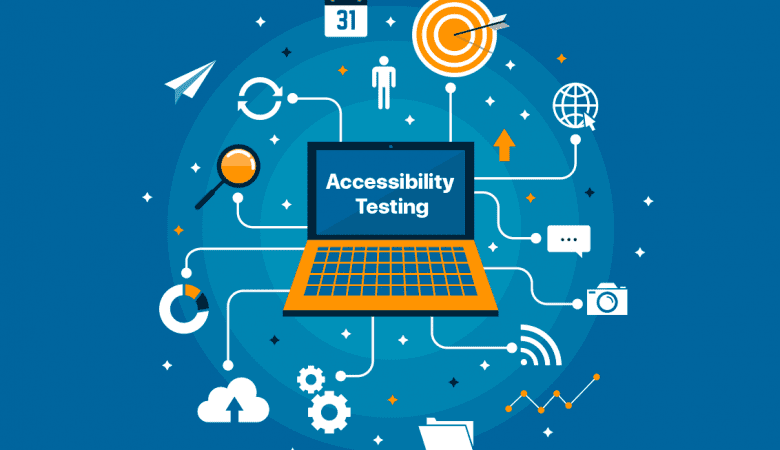
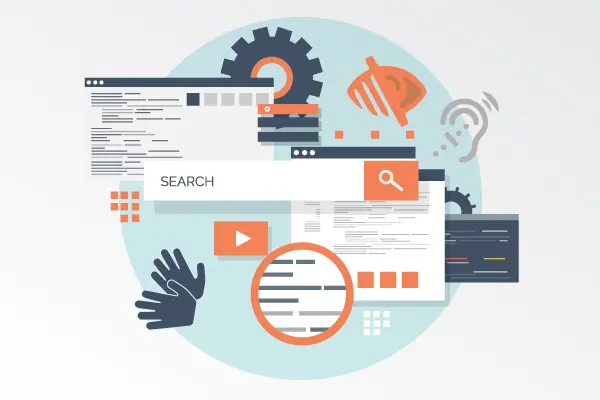
In today’s globally connected digital economy, building software that is usable by everyone is no longer a niche consideration—it is a fundamental requirement for ethical design, legal compliance, and market success. Accessibility testing is the specialized practice of evaluating digital products—websites, applications, and software—to ensure they can be used effectively by people with a wide range of abilities and disabilities. This includes individuals with visual, auditory, motor, cognitive, and neurological impairments.
Beyond compliance, accessibility testing is a commitment to inclusivity, expanding your product’s reach to over 1.3 billion people globally who live with some form of disability. Furthermore, features designed for accessibility often improve the overall user experience for everyone, leading to cleaner design, more intuitive navigation, and greater device compatibility. As we advance into 2026, with tightening regulations and growing consumer awareness, integrating a robust accessibility testing protocol into your development lifecycle is a critical component of professional software testing services.
Table of Contents
ToggleUnderstanding the Framework: WCAG and Legal Standards
The cornerstone of digital accessibility is the Web Content Accessibility Guidelines (WCAG), developed by the World Wide Web Consortium (W3C). The current standard, WCAG 2.2, is organized around four foundational principles, often remembered by the acronym POUR:
-
Perceivable: Information and user interface components must be presentable to users in ways they can perceive. This covers alternatives for non-text content (text alternatives for images, captions for videos), adaptable content, and distinguishable elements (color contrast, text resizing).
-
Operable: User interface components and navigation must be operable. This includes making all functionality available from a keyboard, providing users enough time to read and use content, and helping users navigate and find content easily.
-
Understandable: Information and the operation of the user interface must be understandable. This means text is readable and predictable, and input assistance is provided to help users avoid and correct mistakes.
-
Robust: Content must be robust enough to be interpreted reliably by a wide variety of user agents, including assistive technologies. This primarily requires valid, well-structured code that can communicate with screen readers and other tools.
Legally, many regions mandate adherence to these standards. Laws such as the Americans with Disabilities Act (ADA), the European Accessibility Act (EAA), and Section 508 of the Rehabilitation Act in the U.S. often reference WCAG conformance (typically Level AA) as the benchmark for compliance, making accessibility testing a key part of compliance testing.
The Accessibility Testing Methodology: A Multi-Layered Approach
Effective accessibility testing cannot rely on a single tool or a last-minute check. It requires a multi-layered strategy integrated throughout the software development lifecycle (SDLC).
1. Automated Testing: The First Line of Defense
Automated tools can quickly scan code and rendered pages to identify a subset of detectable issues.
-
What it finds: Common technical failures like missing image alt text, insufficient color contrast ratios, missing form labels, and invalid ARIA (Accessible Rich Internet Applications) attributes.
-
Limitations: Automation can only catch about 30-40% of potential issues. It cannot assess the meaningfulness of alt text, logical tab order, or the overall usability of a site for someone using assistive technology.
-
Common Tools: Axe DevTools, WAVE, Lighthouse, and Pa11y. These should be integrated into CI/CD pipelines for early feedback.
2. Manual Technical Testing: The Essential Human Review
This involves manual techniques that require human judgment and understanding of how assistive technologies interact with code.
-
Keyboard-Only Navigation: Navigating the entire application using only the
Tab,Enter,Space, and arrow keys, ensuring all interactive elements are reachable and usable. This is a fundamental test for motor impairment accessibility. -
Screen Reader Testing: Using screen readers like NVDA (Windows), VoiceOver (macOS/iOS), or JAWS to experience the application as a blind or low-vision user would. Testers verify that content is announced logically, forms are properly described, and interactive elements have clear labels.
-
Code Inspection: Reviewing HTML for proper semantic structure (using
<header>,<nav>,<main>,<button>correctly) and ensuring a logical, hierarchical heading structure (<h1>through<h6>).
3. User Experience (UX) and Usability Testing with Disabled Users
This is the most insightful layer. Involving real users with disabilities in the testing process uncovers practical barriers and usability challenges that purely technical checks miss.
-
Recruiting Participants: Engage testers with a range of disabilities that reflect your target audience.
-
Observational Learning: Watching how users interact with your product using their preferred assistive technologies provides invaluable, irreplaceable feedback on the real-world user experience.
Core Areas of Focus in Accessibility Testing
A comprehensive test plan will examine several key areas:
| Area of Focus | Key Questions for Testers | Common WCAG Criteria |
|---|---|---|
| Visual Accessibility | Is there sufficient color contrast? Can text be resized without breaking layout? Are all images and icons described with meaningful alt text? | 1.4.3 Contrast, 1.4.4 Resize text, 1.1.1 Non-text Content |
| Keyboard & Navigation | Can every interactive element be reached and used with a keyboard alone? Is the tab order logical and predictable? Is a visible focus indicator always present? | 2.1.1 Keyboard, 2.4.3 Focus Order, 2.4.7 Focus Visible |
| Screen Reader Compatibility | Does the screen reader announce content in a logical, meaningful order? Are form fields, buttons, and landmarks (like navigation or main) properly labeled? | 4.1.2 Name, Role, Value, 1.3.1 Info and Relationships |
| Content & Structure | Is the page structured with proper HTML headings? Is the language of the page defined? Are instructions and error messages clear and easy to understand? | 1.3.1 Info and Relationships, 3.1.1 Language of Page, 3.3.1 Error Identification |
| Multimedia & Interactions | Do videos have accurate captions and audio descriptions? Do moving, blinking, or auto-updating components have controls to pause, stop, or hide them? | 1.2.2 Captions, 1.2.3 Audio Description, 2.2.2 Pause, Stop, Hide |
The Business Imperative: Why Accessibility Testing is Non-Negotiable
Investing in accessibility testing yields significant returns beyond risk mitigation:
-
Expanded Market Reach and Revenue: You open your products and services to a massive, loyal audience with significant spending power (the “purple pound/dollar”).
-
Enhanced Brand Reputation and Loyalty: Demonstrating a commitment to inclusivity builds immense goodwill, fosters customer loyalty, and attracts top talent who want to work for socially responsible companies.
-
Improved SEO and Website Performance: Many accessibility best practices, like semantic HTML, descriptive link text, and structured content, align perfectly with search engine optimization (SEO) guidelines, improving your site’s ranking.
-
Reduced Legal and Compliance Risk: Proactive accessibility testing helps protect your organization from costly lawsuits, regulatory fines, and negative publicity associated with non-compliance.
-
Better Overall User Experience (UX) for All: Accessibility features like clear navigation, captions in noisy environments, and voice control benefit all users, leading to higher satisfaction and lower support costs.
Integrating Accessibility into Your Development Workflow
For accessibility testing to be effective, it must be “shifted left” and embedded into the culture:
-
Education & Training: Train developers, designers, and product managers on accessibility fundamentals and WCAG guidelines.
-
Define Requirements: Include specific, testable accessibility acceptance criteria (e.g., “The checkout button must have a color contrast ratio of at least 4.5:1 and be focusable by keyboard”) in user stories.
-
Early and Continuous Testing: Run automated checks in the CI/CD pipeline. Conduct manual reviews during the design and development phase, not just before release.
-
Leverage Specialized Expertise: For complex applications or to ensure compliance, partner with experts who offer specialized accessibility testing as part of their quality assurance services. They can perform in-depth audits, user testing, and provide certification reports.
Conclusion: Building a More Inclusive Digital Future
Accessibility testing is the practical application of the principle that good design is inclusive design. It moves digital accessibility from an abstract ideal to a concrete, measurable attribute of quality software. By embracing a systematic, empathetic approach to accessibility testing, organizations not only meet legal obligations but also unlock innovation, drive growth, and fulfill the fundamental promise of technology: to connect and empower everyone.
Building truly accessible digital experiences requires a dedicated, informed approach. If you are looking to establish or mature your accessibility practice, TestUnity’s expert-led software testing services include comprehensive accessibility testing audits, compliance validation, and integration strategy. Our specialists can help you navigate WCAG standards, implement efficient testing processes, and build products that are welcoming to all users.
Ready to ensure your digital experiences are inclusive and compliant? Contact TestUnity to discuss how our accessibility testing expertise can help you build better, more responsible software for the diverse world of 2026 and beyond.

TestUnity is a leading software testing company dedicated to delivering exceptional quality assurance services to businesses worldwide. With a focus on innovation and excellence, we specialize in functional, automation, performance, and cybersecurity testing. Our expertise spans across industries, ensuring your applications are secure, reliable, and user-friendly. At TestUnity, we leverage the latest tools and methodologies, including AI-driven testing and accessibility compliance, to help you achieve seamless software delivery. Partner with us to stay ahead in the dynamic world of technology with tailored QA solutions.






i enjoy reading this great article, i have shared it many times on my website and started following you, Do you post more often ?? i am the owner of https://webdesignagenturbayreuth.de/ a webdesign agency in bayreuth Germany, webdesign agentur bayreuth, you can link up if you are interested. Thank you
i enjoy reading your articles, it is simply amazing, you are doing great work, do you post often? i will be checking you out again for your next post. you can check out webdesignagenturnürnberg.de the best webdesign agency in nuremberg Germany