
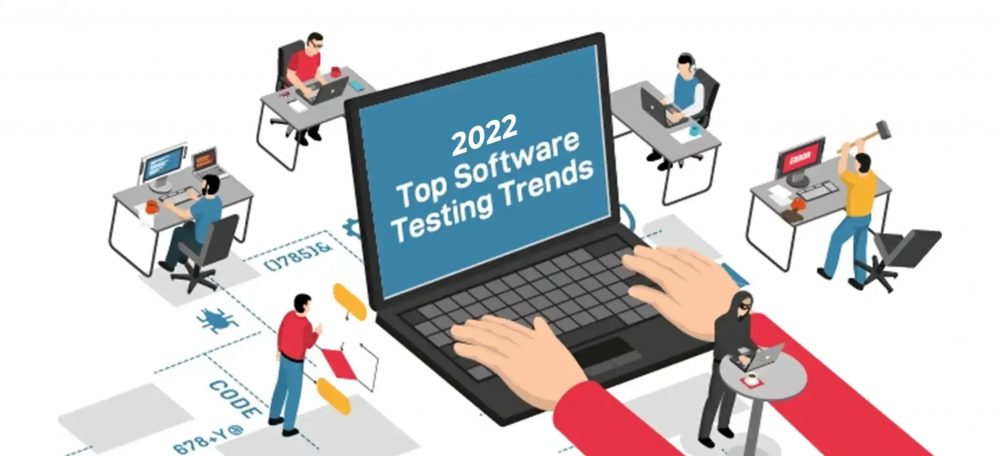
The world of software testing is evolving at an unprecedented pace. Agile and DevOps methodologies have accelerated release cycles, remote work has become the norm, and customer expectations for quality have never been higher. To keep up, testing teams must embrace innovation—not as a one-time initiative, but as a continuous practice.
In this guide, we explore the top software testing trends that are shaping the future of quality assurance. From CI/CD pipeline testing to AI-driven automation, these trends represent where the industry is heading. Whether you are a QA manager, test engineer, or developer, understanding these trends will help you stay ahead of the curve.
Why Software Testing Trends Matter
Software development is not static. New architectures (microservices, serverless), delivery models (continuous deployment), and threats (cybersecurity) demand that testing practices evolve. Teams that ignore trends risk falling behind in speed, quality, and cost efficiency.
The trends covered in this article are not fleeting fads—they are proven shifts that are becoming standard practice across leading organizations. Adopting them will help you:
- Accelerate time-to-market without sacrificing quality.
- Reduce costs through automation and smarter processes.
- Improve collaboration between development, operations, and QA.
- Enhance test coverage for complex, distributed systems.
Internal Link: For foundational automation concepts, see our 7 Tips for Developing the Ultimate Test Automation Strategy.
Trend 1: CI/CD Pipeline Testing (Continuous Testing)
Continuous Integration and Continuous Delivery (CI/CD) have become standard in modern software development. But CI/CD only delivers on its promise when continuous testing is embedded throughout the pipeline.
What Is Continuous Testing?
Continuous testing is the practice of running automated tests at every stage of the CI/CD pipeline—from code commit to production deployment. It provides immediate feedback to developers, catches defects early, and ensures that only quality code progresses.
Key Components
- Unit tests – Run on every commit (fast, isolated).
- Integration tests – Run after unit tests pass (verify module interactions).
- API tests – Validate service contracts and data flows.
- UI/end-to-end tests – Run less frequently (e.g., nightly) due to longer execution times.
- Performance tests – Triggered on demand or scheduled.
Benefits
- Faster feedback – Developers know within minutes if their change broke something.
- Reduced manual regression – Automated suites handle repetitive checks.
- Higher confidence – Each deployment is validated consistently.
Implementation Tips
- Start with unit and smoke tests in the CI pipeline (fast, high-value).
- Add integration and API tests in the staging environment.
- Use parallel execution and cloud grids to reduce test run time.
- Fail the pipeline on critical test failures to prevent bad code from progressing.
Internal Link: For cross-browser testing in CI/CD, see How to Conduct Cross-Browser Testing Using Selenium WebDriver.
Trend 2: Testing Center of Excellence (TCoE)
As organizations grow, testing activities often become siloed across different teams and projects. This leads to duplicated effort, inconsistent quality, and inefficient use of resources. A Testing Center of Excellence (TCoE) addresses these challenges.
What Is a TCoE?
A TCoE is a centralized framework (not necessarily a physical location) that standardizes testing practices, tools, metrics, and skills across an organization. It provides governance, reusable assets, and subject matter expertise to all projects.
Key Responsibilities of a TCoE
- Define standards – Test processes, documentation templates, and entry/exit criteria.
- Select and maintain tools – License management, training, and integration.
- Develop reusable test assets – Libraries, frameworks, and data sets.
- Provide training and mentorship – Upskill teams on best practices.
- Measure and report – Centralized dashboards on quality metrics across portfolios.
Benefits
- Consistency – Every project follows the same quality benchmarks.
- Efficiency – Reusable assets reduce redundant work.
- Visibility – Management gains a holistic view of quality across the organization.
- Innovation – Centralized team can pilot new tools and techniques before rolling out.
Prerequisites for Success
- Executive support – TCoE requires mandate and funding from leadership.
- Collaborative culture – Not a “police” but an enabler for delivery teams.
- Clear scope – Define which processes are mandatory vs. recommended.
Internal Link: For governance in outsourcing, see our 5-Step Checklist for Outsourcing Software Testing.
Trend 3: Codeless Test Automation
Test automation traditionally required programming skills. This created a bottleneck: manual testers could not write automation scripts, and developers were often too busy. Codeless test automation (also called no-code or low-code automation) bridges this gap.
What Is Codeless Test Automation?
Codeless automation tools allow users to create automated tests through visual interfaces, record-and-playback, drag-and-drop, or natural language processing—without writing code.
Popular Codeless Tools
| Tool | Approach |
|---|---|
| Katalon Studio | Record and playback with object repository |
| TestComplete | Keyword-driven and scriptless |
| Leapwork | Visual flow builder |
| Tricentis Tosca | Model-based automation |
| BugHerd | Visual feedback for web testing |
Benefits
- Lower barrier to entry – Manual testers, business analysts, and product owners can contribute.
- Faster test creation – No time spent debugging code syntax.
- Easier maintenance – Visual updates often simpler than code refactoring.
- Scales Agile testing – Teams without dedicated automation engineers can still automate.
Limitations
- Complex logic – Nested conditionals, loops, or data-driven scenarios may be difficult.
- Custom controls – Some applications (e.g., games, CAD software) may not be supported.
- Vendor lock-in – Proprietary formats can be hard to migrate.
Best Practice
Use codeless tools for happy path regression tests and data-driven validation. For complex, custom automation, combine with traditional coded scripts. A hybrid approach often works best.
Internal Link: For codeless options in GUI testing, see What Can You Expect When You Switch to Automated GUI Testing.
Trend 4: AI and Machine Learning in Testing
Artificial intelligence (AI) and machine learning (ML) are transforming software testing from reactive to predictive. These technologies analyze patterns, learn from past executions, and automate complex decision-making.
Key Applications of AI/ML in Testing
| Application | Description |
|---|---|
| Test case generation | AI analyzes requirements or user behavior to create test scenarios. |
| Self-healing locators | When UI changes, AI automatically updates element selectors. |
| Defect prediction | ML models flag high-risk code areas based on historical defects. |
| Test flakiness detection | Identify tests that intermittently fail and suggest fixes. |
| Visual validation | Compare screenshots using computer vision, not pixel-perfect matching. |
| Log analysis | AI scans thousands of log lines to find root causes. |
Benefits
- Reduced maintenance – Self-healing tests save hours of script updates.
- Faster root cause analysis – AI pinpoints failure patterns.
- Higher coverage – Generate edge cases humans might miss.
- Continuous improvement – Models learn from each test run.
Real-World Examples
- Applitools – Visual AI for UI testing.
- Mabl – Self-healing test automation.
- Testim.io – AI-powered locators and flakiness detection.
- Functionize – Natural language test creation with ML.
Getting Started
You do not need a data science team to benefit. Start with tools that embed AI/ML (like those listed above). As you mature, consider building custom models for defect prediction using your own historical data.
Internal Link: For AI in performance testing, see Top 5 UI Performance Testing Tools.
Trend 5: Shift-Left and Shift-Right Testing
Modern testing is no longer a single phase after development. Shift-left moves testing earlier; shift-right extends testing into production. Together, they create continuous quality across the entire lifecycle.
Shift-Left Testing
- Definition – Perform testing activities during requirements, design, and coding phases.
- Activities – Static code analysis, unit testing, test-driven development (TDD), pair programming.
- Benefit – Find defects when they are cheapest to fix (minutes vs. weeks).
Shift-Right Testing
- Definition – Test in production using real user traffic and monitoring.
- Activities – Canary releases, feature flags, A/B testing, real-user monitoring (RUM), synthetic monitoring.
- Benefit – Validate performance, usability, and resilience under real-world conditions.
Combined Approach
Shift-left prevents defects from being introduced. Shift-right catches what survives pre-production. Together, they form a comprehensive quality strategy.
Internal Link: For production testing techniques, see Testing in Production: Best Techniques, Risks & Best Practices.
Trend 6: Test Environment as a Service (TEaaS)
One of the biggest bottlenecks in testing is environment availability. Teams wait for dedicated test environments, leading to delays. Test Environment as a Service (TEaaS) solves this by providing on-demand, isolated environments via infrastructure as code (IaC).
How TEaaS Works
- Environments are defined in code (Terraform, CloudFormation, Ansible).
- Teams spin up a fresh environment for each test run or feature branch.
- After tests complete, the environment is destroyed automatically.
Benefits
- No waiting – Environments ready in minutes, not days.
- Isolation – No test run interferes with another.
- Reproducibility – Same configuration every time.
- Cost savings – Only pay for resources while tests are running.
Tools
- Docker Compose – For local and CI environments.
- Kubernetes – Namespaces for isolation.
- AWS Service Catalog / Azure Managed Applications – Enterprise TEaaS.
- Test containers (e.g., Testcontainers library for Java/.NET).
Internal Link: For cloud-based testing concepts, see Pros and Cons of Cloud-Based Testing for Mobile Applications.
Trend 7: Performance Engineering, Not Just Performance Testing
Traditional performance testing runs load tests after code is complete—often too late to fix architectural issues. Performance engineering integrates performance activities throughout development.
Key Practices
- Performance requirements – Defined as non-functional requirements (e.g., “search returns results within 200ms”).
- Performance unit tests – Test individual functions for speed.
- Continuous performance testing – Run in CI/CD to catch regressions.
- Profiling in development – Developers use profilers during coding.
- Capacity planning – Model resource needs based on growth.
Benefits
- Early detection – Fix performance bottlenecks when they are cheap.
- Better architecture – Design for performance from the start.
- Reduced firefighting – No last-minute scrambling to optimize.
How TestUnity Helps You Adopt These Trends
At TestUnity, we stay at the forefront of software testing innovation. Our QA experts help you implement these trends through:
- CI/CD integration – We embed automated testing into your pipeline.
- TCoE setup – We help establish centralized testing standards and governance.
- Codeless automation – We train your team on tools like Katalon and TestComplete.
- AI/ML adoption – We recommend and implement self-healing and visual AI tools.
- Shift-left and shift-right – We design comprehensive quality strategies across the lifecycle.
- TEaaS implementation – We containerize your test environments for on-demand availability.
- Performance engineering – We shift performance activities left, from requirements to production.
Whether you need to adopt one trend or transform your entire QA organization, TestUnity delivers the expertise and execution to keep you ahead.
Conclusion
The software testing landscape is evolving rapidly. CI/CD pipeline testing, TCoE, codeless automation, AI/ML, shift-left/right, TEaaS, and performance engineering are not just buzzwords—they are proven practices that deliver faster, higher-quality software.
Do not try to adopt all trends at once. Start with one that addresses your biggest pain point. For many organizations, continuous testing in CI/CD provides immediate value. From there, layer in codeless tools, then AI, and finally a TCoE for governance.
The future of software testing is already here. Embrace it.
Ready to modernize your testing approach? Contact TestUnity today to discuss how our QA specialists can help you implement these trends in your organization.
Related Resources
- 7 Tips for Developing the Ultimate Test Automation Strategy – Read more
- Testing in Production: Best Techniques, Risks & Best Practices – Read more
- Effective Techniques to Handle Huge Software Testing Data – Read more
- Why Outsource Cyber Security Testing? – Read more
- The Future of Game Automation Testing – Read more

TestUnity is a leading software testing company dedicated to delivering exceptional quality assurance services to businesses worldwide. With a focus on innovation and excellence, we specialize in functional, automation, performance, and cybersecurity testing. Our expertise spans across industries, ensuring your applications are secure, reliable, and user-friendly. At TestUnity, we leverage the latest tools and methodologies, including AI-driven testing and accessibility compliance, to help you achieve seamless software delivery. Partner with us to stay ahead in the dynamic world of technology with tailored QA solutions.




Leave a Reply