

You report a bug. The developer tries it and says: “It works on my machine.” Your heart sinks. You know the bug exists. But now you’re stuck in a loop of “works here, fails there.”
This is one of the oldest and most frustrating problems in software development. And it’s not going away on its own .
This guide gives you a systematic approach to diagnose and fix environment issues when you hear “works on my machine.” You’ll learn the common causes, a step‑by‑step troubleshooting method, and how to prevent this problem permanently.
The Short Answer
The phrase “it works on my machine” means the code works in the developer’s environment but fails elsewhere – usually due to environment differences . To fix it, systematically compare environments across five key dimensions: dependencies, configuration, data, operating system, and network. Use containerization (Docker) to eliminate inconsistencies permanently .
Why Does “It Works on My Machine” Still Happen?
The problem persists because modern software runs in complex, inconsistent environments. Even with containers, subtle differences can break things .
Here are the most common causes :
| Category | Specific Issue | Example |
|---|---|---|
| Dependencies | Different versions of libraries, frameworks, or tools | The developer has Python 3.11; production uses Python 3.9 |
| Configuration | Different environment variables, feature flags, or config files | DEBUG=True locally, DEBUG=False in production |
| Data | Different database schema, seed data, or test data | Developer’s database has a column that production doesn’t |
| Operating System | Different OS, architecture (ARM vs x86), or file system | Apple Silicon (ARM) laptop, production on AMD64 servers |
| Network | Different firewall, proxy, DNS, or third‑service availability | Production cannot reach an internal API that the developer can |
| Cache | Different browser cache, memory cache, or build cache | Cached assets hide a bug locally |
| User Permissions | Different roles, feature flags, or authentication state | Developer has admin rights; tester does not |
| Background Services | Missing or differently configured services (Redis, Sidekiq) | Background job processor not running locally |

The most common reason? Different execution environment – the developer is running in development or debug mode while the other environment is in production or release mode .
How to Diagnose “It Works on My Machine”: A Step-by-Step Approach
Step 1: Get Precise Details from the Developer
Instead of accepting “works on my machine” as a dead end, treat it as valuable diagnostic data. As one tester noted, knowing where it does work helps narrow down where it doesn’t .
Questions to ask:
-
What OS and version are you using?
-
What dependency versions (list them)?
-
What environment variables are set?
-
Are you running in debug or release mode?
-
What database version and schema do you have?
-
Are you using any local mock services that production doesn’t have?
-
Can you show me a screen recording?

Step 2: Check Environment Parity
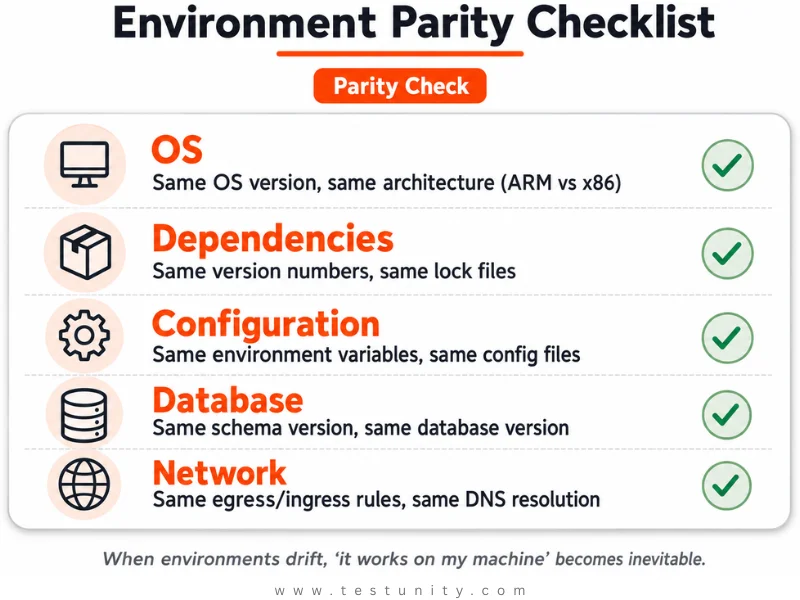
Environment parity means keeping development, CI, staging, and production as identical as possible . When environments drift, “works on my machine” becomes inevitable .
Quick parity checklist :
| Dimension | What to Compare |
|---|---|
| Operating System | Same OS version, same architecture |
| Dependencies | Same version numbers, same lock files |
| Configuration | Same environment variables, same config files |
| Database | Same schema, same version, similar data shape |
| Network | Same egress/ingress rules, same DNS resolution |
| Secrets | Same secret structure (not same values) |
Step 3: Reproduce the Failure in a Clean Environment
The single most effective way to diagnose an environment issue is to reproduce it in a clean, known environment . If you can reproduce it in CI, you have a reliable test case.
Options for a clean environment:
-
Run the test in CI – if CI fails, you have a reproduction
-
Use a fresh VM or container – eliminates local configuration “cruft”
-
Ask the developer to run the same steps on a new machine – see if they can still reproduce

“The first action is to reproduce in each relevant environment and identify the dimension responsible. Fix that dimension across the parity contract instead of patching the failing environment alone.”
Step 4: Compare Environment Differences
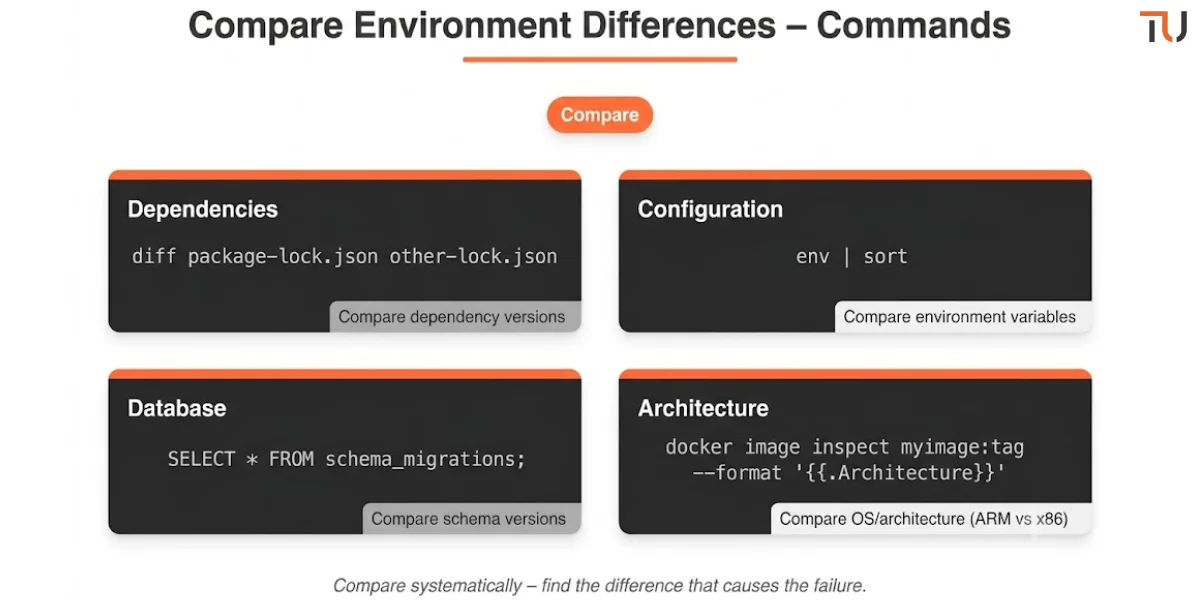
Once you have a reproduction, compare the working environment (the developer’s machine) with the failing one. Systematically check :
Dependencies:
# Compare lock files
diff developer/package-lock.json failing/package-lock.json
diff developer/Pipfile.lock failing/Pipfile.lock
Configuration:
# Compare environment variables
echo "Dev:"
env | sort
echo "CI:"
# Check CI logs for env vars
Database schema:
-- Compare schema versions
SELECT * FROM schema_migrations;
Architecture:
# Check if architecture matches
docker image inspect myimage:tag --format '{{.Architecture}}'
# arm64 vs amd64 can cause exec format errors [citation:13]
Step 5: Fix the Root Cause
Once you identify the difference, the fix is usually clear:
| Root Cause | Fix |
|---|---|
| Different dependency versions | Pin versions in lock files, use containerization |
| Different config | Use environment variables with defaults, commit config files |
| Different data | Use seed scripts, data factories, or database snapshots |
| Different OS/architecture | Build for the target architecture (--platform linux/amd64) |
| Missing service | Include all required services in Docker Compose or CI setup |

Important: If a fix works locally but fails in CI, it’s still unfinished work. Don’t call it fixed until it passes in all environments .
How to Prevent “It Works on My Machine” Forever
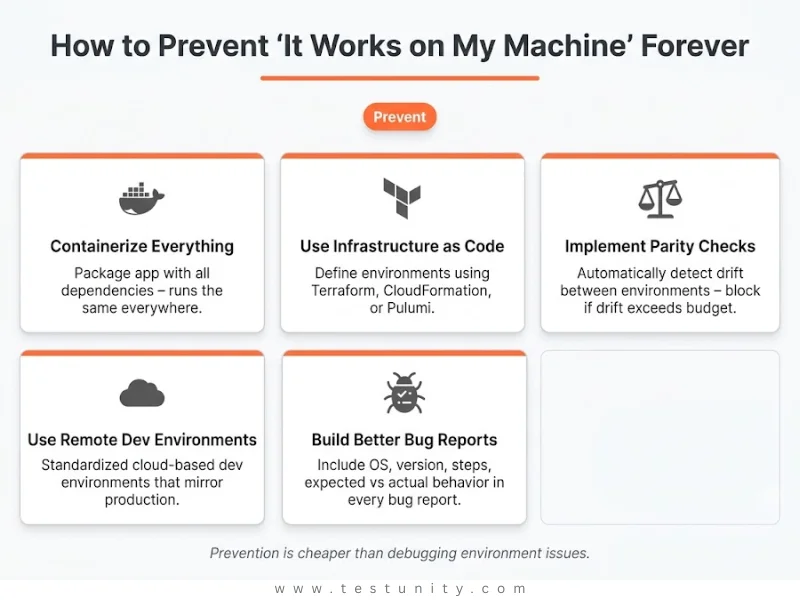
Prevention Strategy 1: Containerize Everything
Docker is the most powerful tool to eliminate environment differences. It packages your application with all its dependencies so it runs the same everywhere .
Basic Dockerfile:
FROM node:16-alpine

WORKDIR /app

COPY package*.json ./
RUN npm install

COPY . .

EXPOSE 3000
CMD ["npm", "start"]
With this, your application runs in the same container environment whether it’s on a developer’s laptop or in production .
Warning: Even Docker can have architecture mismatches. Always specify the target platform:
docker buildx build --platform linux/amd64,linux/arm64 -t myimage:tag --push .
This ensures the image works on both ARM and AMD64 architectures .
Prevention Strategy 2: Use Infrastructure as Code (IaC)
Define all your environments using code (Terraform, CloudFormation, Pulumi). This ensures every environment is created consistently .
Example Terraform:
resource "aws_instance" "web_server" {
  ami           = "ami-0c55b159cbfafe1f0"
  instance_type = "t2.micro"

  tags = {
    Environment = var.environment
  }
}
Prevention Strategy 3: Implement Environment Parity Checks
Detect drift before it causes failures. Set up automated checks that compare environments .
What to monitor:
-
Dependency versions (hash the lock file)
-
Configuration snapshots
-
Schema versions
-
Architecture compatibility
Action triggers: If drift exceeds a budget (e.g., dependency version skew > 1 minor version), block the CI promotion or deployment .
Prevention Strategy 4: Use Remote Development Environments
Instead of each developer maintaining their own inconsistent setup, provide standardized, cloud‑based development environments that mirror production .
Prevention Strategy 5: Build Better Bug Reports
Many environment issues start with poor bug reports. When reporting bugs, include :
-
Environment details: OS version, app version, device
-
Steps to reproduce (S2Rs): Be specific – “navigate to transactions, tap add button”
-
Observed behavior: What actually happened (include screenshots or recordings)
-
Expected behavior: What should have happened
Pro tip: A study of 180 bug reports found that 92% had at least one missing reproduction step, making issues harder to diagnose .
What If You’re Still Stuck?
You’ve compared environments. You’ve checked dependencies, configuration, and architecture. The issue remains. Some problems are genuinely complex – distributed systems, subtle race conditions, or intermittent failures.
That’s where TestUnity’s Quality Assurance services help. We specialize in diagnosing environment-specific failures, implementing environment parity strategies, and helping teams stop “works on my machine” problems permanently.
Need expert help? Contact TestUnity today for a free consultation.
Quick Reference: How to Fix “It Works on My Machine”
| Step | Action | Time |
|---|---|---|
| 1 | Ask the developer for precise environment details | 10 min |
| 2 | Check parity across environments (dependencies, config, data, OS, network) | 1 hour |
| 3 | Reproduce in a clean environment (CI, container, or fresh VM) | 1-2 hours |
| 4 | Compare working vs failing environments (diff dependencies, config, schema) | 2 hours |
| 5 | Fix the root cause (pin dependencies, containerize, fix config) | Varies |
| 6 | Implement prevention (containerization, IaC, parity checks) | Ongoing |

Related Resources
-
Shifting Left: A Practical Guide to Early Testing – Catch environment issues early
-
Integration Testing: The Complete Guide – Environment management for integration tests
-
My CI Pipeline Fails Because of Tests – How to Stop That – CI-specific environment fixes
-
Flaky Tests Are Ruining My Confidence – Some flaky tests are environment-related

TestUnity is a leading software testing company dedicated to delivering exceptional quality assurance services to businesses worldwide. With a focus on innovation and excellence, we specialize in functional, automation, performance, and cybersecurity testing. Our expertise spans across industries, ensuring your applications are secure, reliable, and user-friendly. At TestUnity, we leverage the latest tools and methodologies, including AI-driven testing and accessibility compliance, to help you achieve seamless software delivery. Partner with us to stay ahead in the dynamic world of technology with tailored QA solutions.



Leave a Reply