

You’re testing an e-commerce site. The product prices change every hour. Ads rotate based on user behavior. News feeds update constantly. Your tests from yesterday are already broken.
Dynamic content testing is one of the most frustrating challenges in test automation. Static test scripts fail because the data they expect no longer exists. Ads, prices, feeds, and real-time updates create unpredictable test data that seems impossible to validate.
The good news: there are proven strategies to test dynamic content reliably. This guide gives you practical approaches to test changing data without rewriting your tests every day.
The Short Answer
To test dynamic content, stop hardcoding expected values and use data-driven testing with external datasets . For ads and prices, use API-based validation to fetch current values dynamically. For feeds, use pattern matching instead of exact text comparison. For complex dynamic UIs, use smart waiting and flexible selectors . Never assume static content – always fetch the current state first.
Why Dynamic Content Is So Hard to Test
Dynamic content refers to any part of a web page that changes after the initial load, such as live chat widgets, expandable menus, interactive forms, or AJAX-updated lists . Modern web applications are built on frameworks like React, Angular, and Vue.js that generate content dynamically in response to user interactions .
This creates unique challenges for automated testing:
| Challenge | Why It Breaks Tests | Example |
|---|---|---|
| Changing values | Hardcoded assertions fail | A test expects price $29.99, but the price changed to $31.99 |
| Dynamic DOM changes | Selectors break when elements change | The test looks for div#product-123, but the ID changed |
| Loading delays | Tests fail due to timing issues | A test looks for an element that hasn’t loaded yet |
| Unpredictable data | Tests can’t validate what they can’t predict | A news feed shows different stories every day |
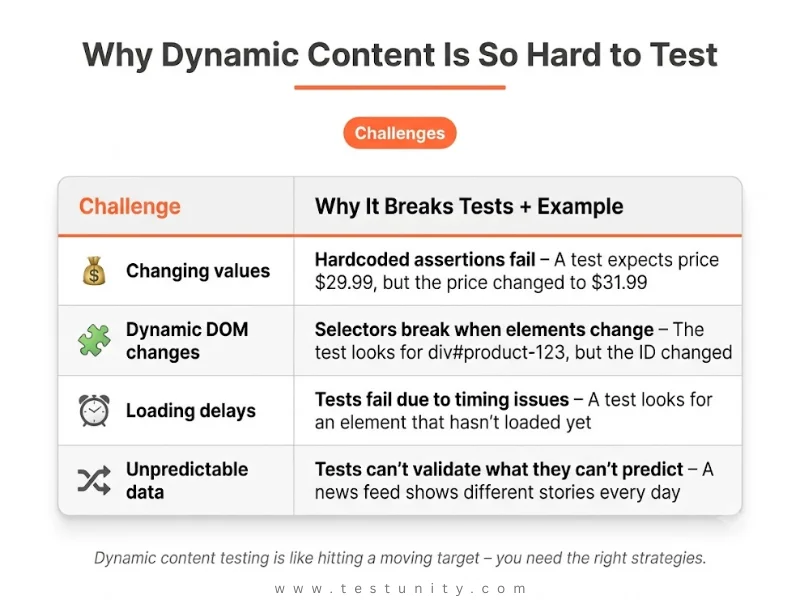
“Ensuring reliability in dynamic web applications is like hitting a moving target, where content constantly changes in response to user interactions and real-time updates” .
How to Test Changing Data: 5 Practical Strategies

Strategy 1: Data-Driven Testing with External Datasets
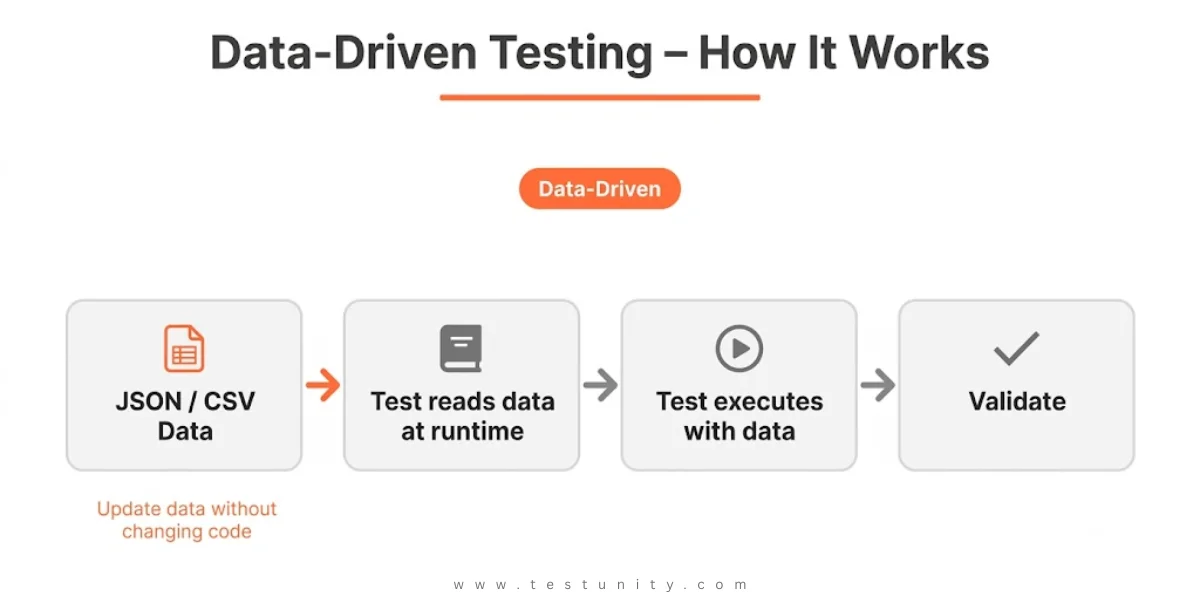
Instead of hardcoding values in your test scripts, store them in external files .
How it works:
-
Store test data in JSON, CSV, or Excel files
-
Your test reads the data at runtime
-
You can update data without changing code
Example (JSON test data):
{
  "products": [
    {"id": "prod_123", "expected_price": "29.99"},
    {"id": "prod_456", "expected_price": "49.99"}
  ]
}
Why this works:
-
Separates data from test logic – modify data without touching the test script
-
Adds new test cases by simply adding more data rows
-
Share data across multiple test scripts
Strategy 2: API-Based Validation for Dynamic Values
For content that changes frequently (prices, inventory, availability), fetch the current value from the API instead of hardcoding it .
How it works:
-
Before your UI test, make an API call to get the current value
-
Use that value in your UI validation
-
The test always uses the latest data
Example (Playwright with API call):
// Get current price from API
const response = await request.get('https://api.example.com/products/prod_123');
const productData = await response.json();
const expectedPrice = productData.price;

// Validate against UI
const uiPrice = await page.locator('.product-price').textContent();
expect(uiPrice).toContain(expectedPrice);

Strategy 3: Pattern Matching Instead of Exact Values
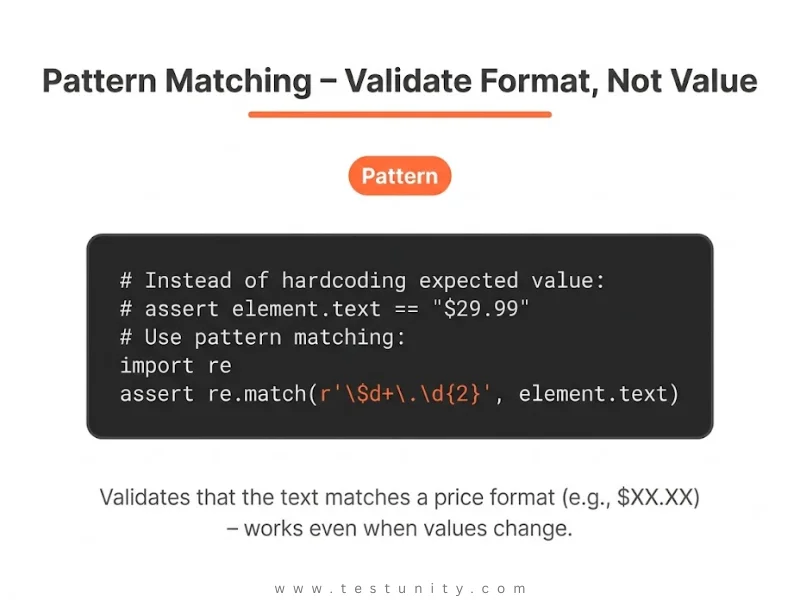
When you can’t predict exact values, validate the pattern or type of data .
What to validate:
-
Price format:
$XX.XXpattern -
Date format:
MM/DD/YYYYpattern -
Currency symbol:
$or€ -
Numeric range: between 1 and 100
-
Text length: > 10 characters
Example (pattern validation):
import re

# Instead of: assert element.text == "$29.99"
# Use pattern matching:
assert re.match(r'\$\d+\.\d{2}', element.text)
Strategy 4: Smart Waiting for Dynamic Content
Dynamic content often takes time to load. Hardcoded sleep() statements cause flaky tests .
Solution: Use smart waits that wait for conditions, not fixed time.
Smart wait approaches:
-
Wait for element visibility
-
Wait for specific text to appear
-
Wait for API calls to complete

Example (WebDriverWait):
# Bad: time.sleep(5)  # Always waits 5 seconds

# Good: Wait for element to be visible
WebDriverWait(driver, 10).until(
    EC.visibility_of_element_located((By.ID, "dynamic-content"))
)
For more on this, see our Slow Test Execution guide.
Strategy 5: Flexible Selectors for Dynamic DOM
When UI elements change dynamically, brittle selectors break. Use Name Mapping with flexible criteria .
Flexible selector strategies:
| Approach | When to Use | Example |
|---|---|---|
| Data attributes | When IDs change but attributes stay | [data-testid="product-price"] |
| Text content | For elements with stable text | button:has-text("Add to Cart") |
| Relative positioning | When absolute positions change | div.product-card .price |
| Extended search | When hierarchy is unpredictable | Search all levels |
“The most appropriate way to resolve the problem with identification of dynamic objects is using Name Mapping. When you add an object to the Name Mapping repository and define a custom name for it, you specify criteria that will be used to uniquely identify this object” .
Testing Ads, Prices, and Feeds: Specific Strategies
Testing Ads
| Challenge | Strategy |
|---|---|
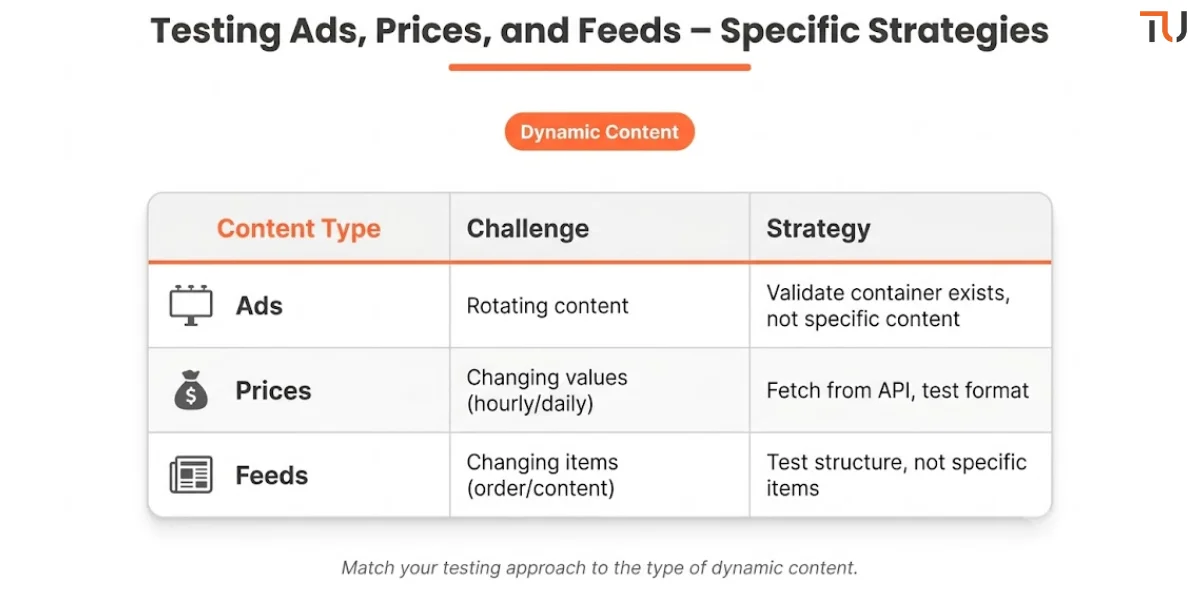
| Ads rotate randomly | Don’t test specific ad content; validate ad container exists |
| Ads target different users | Use consistent test user profiles |
| Ad content changes frequently | Test ad placement and visibility, not content |
Practical approach:
-
Verify that the ad container exists
-
Validate that the container has content (non-empty)
-
Check that the ad loads within a reasonable time
-
Don’t hardcode ad IDs or URLs
Testing Prices
| Challenge | Strategy |
|---|---|
| Prices change hourly/daily | Fetch current price from API before test |
| Discounts and promotions | Test the calculation logic, not specific values |
| Currency variations | Test the format, not the specific number |
Practical approach:
-
Call the product API to get current price
-
Use the API value as the expected result
-
Validate the UI matches the API
-
Test the formatting (currency symbol, decimal places)
Testing Feeds
| Challenge | Strategy |
|---|---|
| Items change order | Sort items before comparison |
| New items appear | Test for presence, not specific items |
| Items disappear | Validate feed structure, not content |
Practical approach:
-
Validate that the feed container exists
-
Check that items have required fields (title, image, link)
-
Test the structure, not the specific values
-
Use snapshot testing with masking for dynamic fields
Automating Dynamic Content Testing
Use Data-Driven Testing
When you test changing data, data-driven testing is your most powerful tool .
Benefits:
-
Add new test cases by adding data, not writing code
-
Modify expected values without changing tests
-
Reuse the same test script for multiple datasets
Example with pytest data-driven testing:
import pytest

@pytest.mark.parametrize("product_id,expected_property", [
    ("prod_123", "price"),
    ("prod_456", "availability"),
])
def test_product_detail(product_id, expected_property):
    response = api_get_product(product_id)
    assert expected_property in response
Integration with CI/CD
Dynamic content testing should be part of your pipeline. For more details, see our CI/CD Testing guide.
CI/CD tips for dynamic content:
-
Run dynamic content tests in a stable environment
-
Use consistent test data that doesn’t change
-
Isolate dynamic content tests from static regression
-
Use retries for flaky dynamic content tests
Accessibility Testing for Dynamic Content
Dynamic content also affects accessibility. Screen readers may not detect content that changes without a page reload .
Key accessibility checks:
-
Screen readers are notified of new content (use ARIA live regions)
-
Focus is managed correctly when modals appear
-
Keyboard users can navigate updated interfaces
For more on this, see our Accessibility Testing guide.
What If Your Dynamic Content Is Still Unpredictable?
Some dynamic content is genuinely unpredictable – real-time feeds, user-generated content, or algorithmically selected ads. When traditional testing fails, consider these advanced approaches:
Advanced strategies:
| Approach | When to Use |
|---|---|
| Golden Master testing | When you have known good states to compare against |
| Visual regression testing | To catch unexpected UI changes |
| AI-powered test generation | For systems with very complex dynamic behavior |
| Production monitoring | Instead of pre-release testing |
If you’re struggling with dynamic content, TestUnity’s Test Automation Services can help. We specialize in testing unpredictable systems and building maintainable automation for dynamic content.
Need expert help with dynamic content? Contact TestUnity today for a consultation.
Quick Reference: How to Test Dynamic Content
| Challenge | Strategy | Implementation |
|---|---|---|
| Changing values | Data-driven testing | Store expected values in external files |
| Unpredictable prices | API-based validation | Fetch current price from API before test |
| Dynamic DOM | Flexible selectors | Use data attributes or Name Mapping |
| Loading delays | Smart waiting | Wait for conditions, not fixed time |
| Rotating ads | Pattern validation | Test format and presence, not content |
| Changing feeds | Structure validation | Test the feed structure, not specific items |

Related Resources
-
Test Automation Strategy: How to Plan, Execute, and Scale – Data-driven testing strategy
-
Performance Testing: Tools, Metrics & Best Practices – Dynamic content affects performance
-
Why Are My Tests So Slow? 7 Quick Fixes – Smart waiting for dynamic content
-
Accessibility Testing Guide – Testing dynamic content for accessibility

TestUnity is a leading software testing company dedicated to delivering exceptional quality assurance services to businesses worldwide. With a focus on innovation and excellence, we specialize in functional, automation, performance, and cybersecurity testing. Our expertise spans across industries, ensuring your applications are secure, reliable, and user-friendly. At TestUnity, we leverage the latest tools and methodologies, including AI-driven testing and accessibility compliance, to help you achieve seamless software delivery. Partner with us to stay ahead in the dynamic world of technology with tailored QA solutions.



Leave a Reply