

Your regression suite takes 6 hours to run. Deployments are delayed. Developers context-switch while waiting. Everyone is frustrated. You know you need to reduce regression time, but where do you start?
Regression testing is essential – it catches bugs before they reach production. But a 6‑hour test suite is counter‑productive. As one QA leader put it, “If you don’t try to reduce the time it takes to do regression testing, it becomes counter‑productive, very soon” .
The good news: you can optimize your test suite dramatically. Here are 6 proven strategies to cut your regression time by 50–80%.
The Short Answer
To reduce regression time, apply six strategies: parallel execution (run tests simultaneously), test impact analysis (run only what changed), test suite pruning (remove obsolete tests), strategic automation (automate high‑impact areas), risk‑based prioritization (test critical features first), and optimized test data (eliminate slow setup). Start with parallel execution – it’s the quickest win.
Why Regression Suites Get So Slow
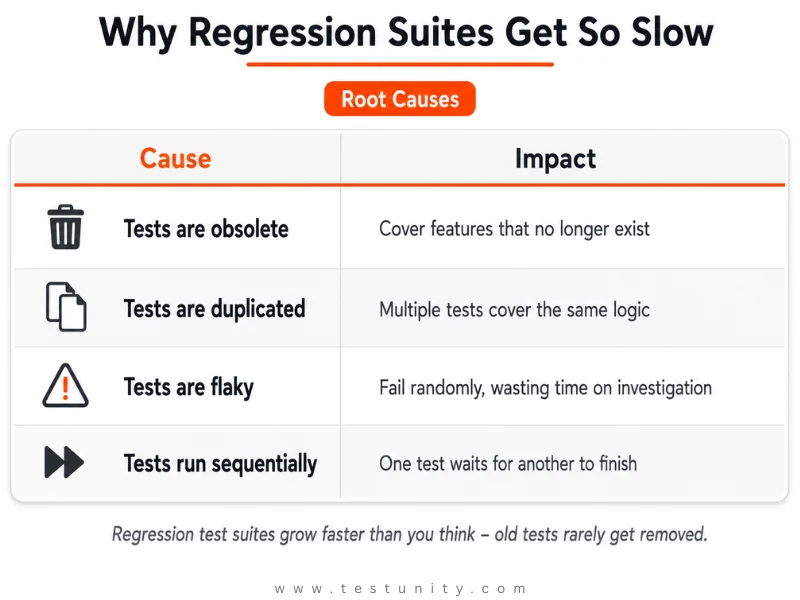
Regression test suites grow faster than you think. Every new feature adds tests, but old tests rarely get removed . The result: a bloated suite where:
-
Many tests are obsolete – they cover features that no longer exist
-
Tests are duplicated – multiple tests cover the same logic
-
Tests are flaky – they fail randomly, wasting time on investigation
-
Tests run sequentially – one test waits for another to finish
As systems grow in complexity, their regression test suites also tend to grow substantially – resulting in longer execution times, higher resource consumption, and delayed feedback to developers .

Strategy 1: Parallel Execution – The Quickest Win
Parallel execution means running multiple tests simultaneously across different environments, machines, or browsers, rather than executing them sequentially . This is the single most effective way to reduce regression time.
How Much Time Can You Save?
| Scenario | Sequential | Parallel (4 threads) | Time Saved |
|---|---|---|---|
| 200 E2E tests @ 18 min total | 72 minutes | ~18 minutes | 75% |
| 1000 unit tests @ 1 sec each | 16.7 minutes | ~4 minutes | 75% |
| Integration tests (I/O‑bound) | 60 minutes | ~6 minutes (with -j 100) | 90% |
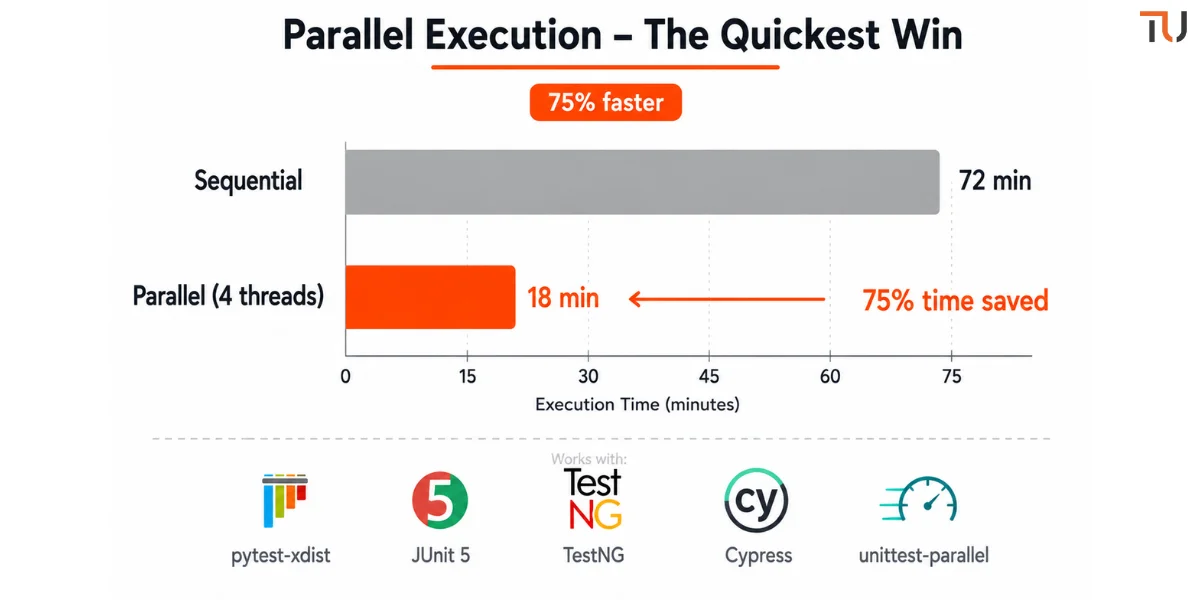
A user report confirms that parallel execution “shaved 70% off the runtime of my painfully long integration tests” .
How to Implement
| Framework | How to Parallelize |
|---|---|
| pytest | pytest -n auto (requires pytest-xdist) |
| JUnit 5 | Configure parallel execution with junit.jupiter.execution.parallel.enabled |
| TestNG | Use <parallel="methods"> in testng.xml |
| Cypress | cypress run --record --parallel |
| unittest (Python) | Use unittest-parallel – runs tests across all CPU cores |
Example (Python with unittest-parallel):
unittest-parallel -t . -s tests --coverage
If your tests are I/O‑bound, use a higher process count :
unittest-parallel -j 100 -t . -s tests
Key rule: Tests must be independent – no shared state, no order dependencies . When tests are interdependent, a change to one test can cause several others to fail in puzzling ways .
Strategy 2: Test Impact Analysis – Run Only What Changed
The smartest way to optimize your test suite is to stop running tests that don’t need to run. Test Impact Analysis (TIA) automatically identifies which tests are affected by code changes – and runs only those.
How It Works
-
Capture code coverage – As tests run, the system captures which parts of the code each test covers
-
Identify code changes – When a new build is deployed, the system compares the new code against previous coverage data
-
Map changes to tests – The system identifies which code parts changed and maps those changes back to the test cases that cover them
-
Run optimized sessions – Testers run only the tests impacted by code changes

Why This Matters
Instead of guessing or running every test, you focus on tests most likely to be affected by recent code changes . This approach reduces unnecessary testing, speeds up releases, and reduces stress on teams already working under tight deadlines .
Real impact: Teams have reported that a full regression suite taking 5–6 hours locally can be reduced to under 1 hour using test impact analysis with sufficient parallelism .
Strategy 3: Prune Your Test Suite (Remove Obsolete Tests)
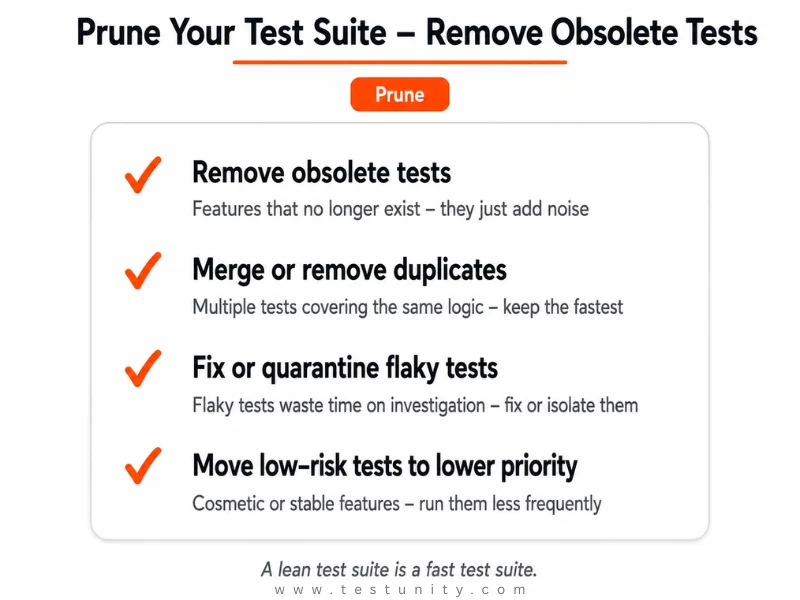
Your test suite has technical debt. Outdated, duplicate, and flaky tests waste time and introduce noise .
What to Remove
| Test Type | Action | Why |
|---|---|---|
| Obsolete tests | Remove | Feature no longer exists |
| Duplicate tests | Merge or remove | Overlapping coverage |
| Flaky tests | Fix or quarantine | Wastes time on investigation |
| Low‑risk tests | Move to lower priority | Cosmetic or stable features |
Pruning Checklist
-
Track how many times each test has passed consecutively
-
If a test has passed 10+ times without catching an issue, review it
-
Ask: “What’s the risk if this breaks and we don’t catch it?”
-
If risk is low, consider retiring the test
What to Do With Retired Tests
You don’t have to throw them away. They can be :
-
Archived (reactivated later if needed)
-
Merged into broader test flows
-
Replaced by lighter‑weight checks (e.g., API or unit tests)
Strategy 4: Strategic Automation – Don’t Automate Everything
Automation is the most predictable way to reduce regression time . But automating everything is a mistake – you waste effort on tests that don’t need automation.
What to Automate
| Test Type | Why Automate |
|---|---|
| Smoke tests | Fast validation that critical features work |
| High‑risk functionality | Frequent changes, high business impact |
| Stable features | Behavior is known and consistent |
| Repetitive tests | Run frequently, prone to human error |
What NOT to Automate
-
Tests that run only once
-
Tests with constantly changing UI
-
Tests that require human judgment (usability)
-
Low‑risk, rarely run tests
Choose the Right Automation Tool
For cross‑browser testing, cloud‑based platforms like BrowserStack allow running automated tests in parallel across 3500+ real devices and browsers . This can reduce regression time dramatically without buying your own device farm.
Strategy 5: Risk‑Based Prioritization – Test Critical Features First
Not all test cases are equal. Risk‑based testing prioritizes test cases based on the likelihood and impact of defects . This ensures that the most critical scenarios run first.
How to Prioritize
| Priority | Criteria | When to Run |
|---|---|---|
| P0 (Critical) | Core business functionality, high‑user‑impact | Every commit |
| P1 (High) | Major features, frequent user paths | Daily |
| P2 (Medium) | Edge cases, less‑used features | Weekly / on demand |
| P3 (Low) | Cosmetic, stable legacy features | Monthly / never |

What This Achieves
By focusing on high‑impact test cases first, you catch the most severe defects early in the cycle . If time runs out, you’ve already validated the most important parts.
Strategy 6: Optimize Test Data and Environment
Slow test data setup and environment issues are hidden causes of slow regression testing.
Fix Slow Test Data
| Problem | Solution |
|---|---|
| Creating test data from scratch | Pre‑seed a baseline dataset once |
| Shared data between tests | Use unique identifiers per test (e.g., user_{uuid}) |
| Manual data preparation | Automate data generation with factories (FactoryBot, Faker) |
Fix Environment Issues
-
Use Docker containers for consistent environments
-
Use Docker Compose to spin up a fresh database for each test run
-
Implement database transactions that roll back after each test
Implementation Roadmap: From 6 Hours to Under 1 Hour
| Phase | Strategy | Time Saved | Effort |
|---|---|---|---|
| Week 1 | Parallel execution (4 threads) | 75% reduction | Medium |
| Week 2 | Prune obsolete tests | 10–20% reduction | Low |
| Week 3 | Implement test impact analysis | Additional 30–50% | High |
| Week 4 | Prioritize tests (P0/P1/P2) | Focus critical tests first | Low |
| Ongoing | Optimize test data & environment | Prevents slow runs | Medium |
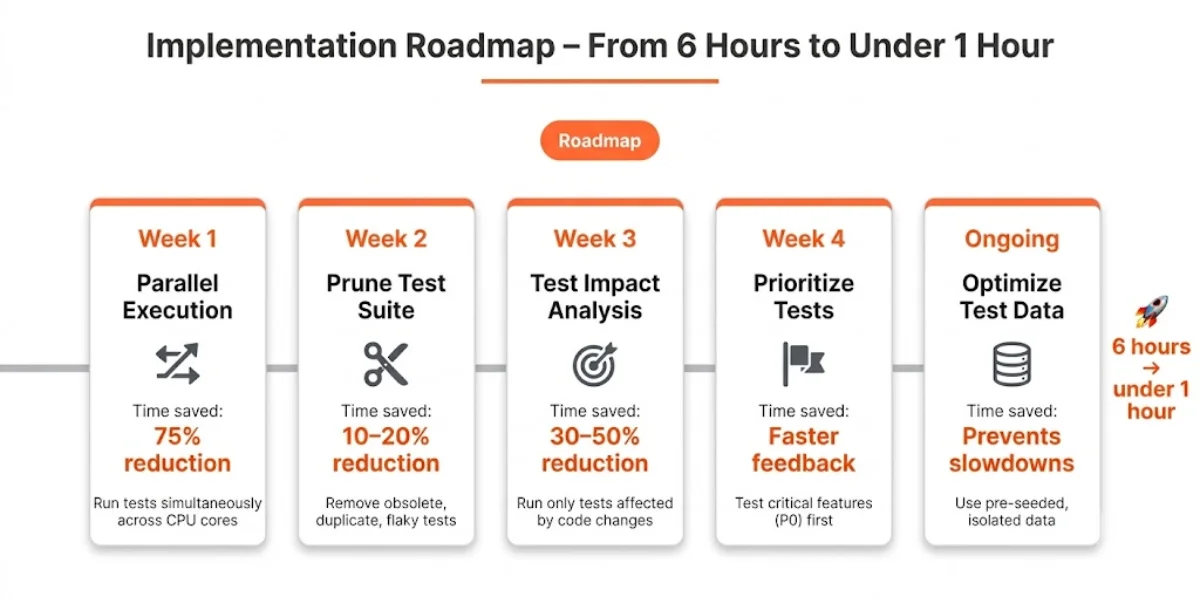
Result: A 6‑hour regression suite can be reduced to under 1 hour with parallel execution and test impact analysis, and further optimized with pruning and prioritization.
What If You’re Still Stuck?
You’ve tried parallel execution, pruned your suite, and implemented test impact analysis. But your regression suite is still too slow. Some problems require deeper expertise – legacy architecture, tangled dependencies, or complex test infrastructure.
That’s where TestUnity’s Test Automation Services help. We specialize in regression suite optimization – implementing parallel execution, test impact analysis, and strategic automation to reduce regression time and restore developer confidence.
Ready to cut your regression time? Contact TestUnity today for a free consultation.
Quick Reference: How to Reduce Regression Time
| Strategy | Action | Time Saved |
|---|---|---|
| Parallel execution | Run tests simultaneously across CPU cores | Up to 75% |
| Test impact analysis | Run only tests affected by code changes | 30–70% |
| Prune test suite | Remove obsolete, duplicate, flaky tests | 10–20% |
| Strategic automation | Automate high‑impact, stable tests | Varies |
| Risk‑based prioritization | Test critical features first | Faster feedback |
| Optimize test data | Use pre‑seeded, isolated data | Prevents slowdowns |

Related Resources
-
Integrating Testing into Your CI/CD Pipeline – Parallel execution in CI/CD
-
Essential Test Metrics and KPIs – Track test execution time metric
-
Why Are My Tests So Slow? 7 Quick Fixes – More speed optimization tips

TestUnity is a leading software testing company dedicated to delivering exceptional quality assurance services to businesses worldwide. With a focus on innovation and excellence, we specialize in functional, automation, performance, and cybersecurity testing. Our expertise spans across industries, ensuring your applications are secure, reliable, and user-friendly. At TestUnity, we leverage the latest tools and methodologies, including AI-driven testing and accessibility compliance, to help you achieve seamless software delivery. Partner with us to stay ahead in the dynamic world of technology with tailored QA solutions.



Leave a Reply