

Your test suite has grown. Every sprint adds more test cases. Now running the full suite takes hours – sometimes days. You have too many test cases and not enough time to run them all.
You know you need to prioritize test cases, but where do you start? What criteria should you use? And how do you decide what to test first when everything feels important?
This guide gives you a practical, step‑by‑step method for test case selection. You’ll learn how to prioritise tests based on risk, business value, and historical data. No theoretical fluff – just actionable techniques you can apply today.
The Short Answer
To prioritize test cases, focus on three factors: risk (what breaks the business?), usage (what do users actually use?), and history (where do bugs usually hide?). Start by identifying your critical user journeys, then assess each test case against these criteria. Run high‑priority tests first, medium‑priority when time allows, and low‑priority only as a sanity check.
Why You Have Too Many Test Cases (And Why It’s a Problem)
Test suite bloat happens naturally. Every new feature adds test cases, but old ones rarely get removed. Before long, you have thousands of tests – many covering low‑value or duplicate scenarios.
The symptoms of test case overload are hard to miss:
| Symptom | Impact |
|---|---|
| Full regression takes > 2 hours | Developers context‑switch while waiting, delaying feedback |
| Nobody knows which tests matter | Teams lose confidence in the suite |
| Low‑value tests fail often | Wasted time investigating irrelevant failures |
| Tests are never removed | Increasing maintenance burden with diminishing returns |
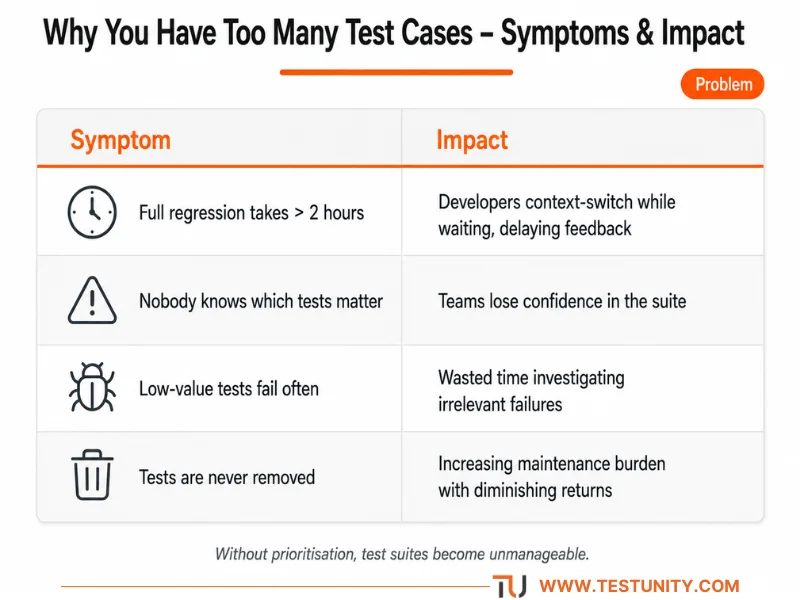
If you don’t prioritize test cases, you risk testing too much, too slowly, or not testing the right things at all.
How to Prioritize Test Cases: A 4‑Step Framework
Here is a proven method for test case selection that balances speed, risk, and value.

Step 1: Identify Your Critical User Journeys
Start by mapping the most important things users do in your application. These are your critical paths. A failure here directly impacts revenue, safety, or core functionality.
Examples of critical user journeys:
-
Login and authentication
-
Adding items to cart and completing checkout
-
Searching for products and viewing results
-
Submitting a support ticket
-
Generating a report
How to create your list:
-
Ask product managers and business stakeholders: “Which three features would break the business if they failed?”
-
Review user analytics to see which pages and flows have the highest traffic
-
Look at past incidents – which failures caused the most downtime or customer complaints?
Limit your list to 5–10 critical journeys. Anything more is not “critical”.
Step 2: Assess Each Test Case by Risk and Value
Now apply risk‑based testing principles (see our Risk‑Based Testing guide). For each test case, ask two questions:
-
What is the business impact if this fails?
-
High: revenue loss, safety risk, legal violation
-
Medium: major inconvenience, brand damage
-
Low: minor annoyance, cosmetic issue
-
-
How likely is a defect in this area?
-
High: frequently changed code, complex logic, known bug‑prone area
-
Medium: recently changed, moderate complexity
-
Low: stable code, rarely touched
-
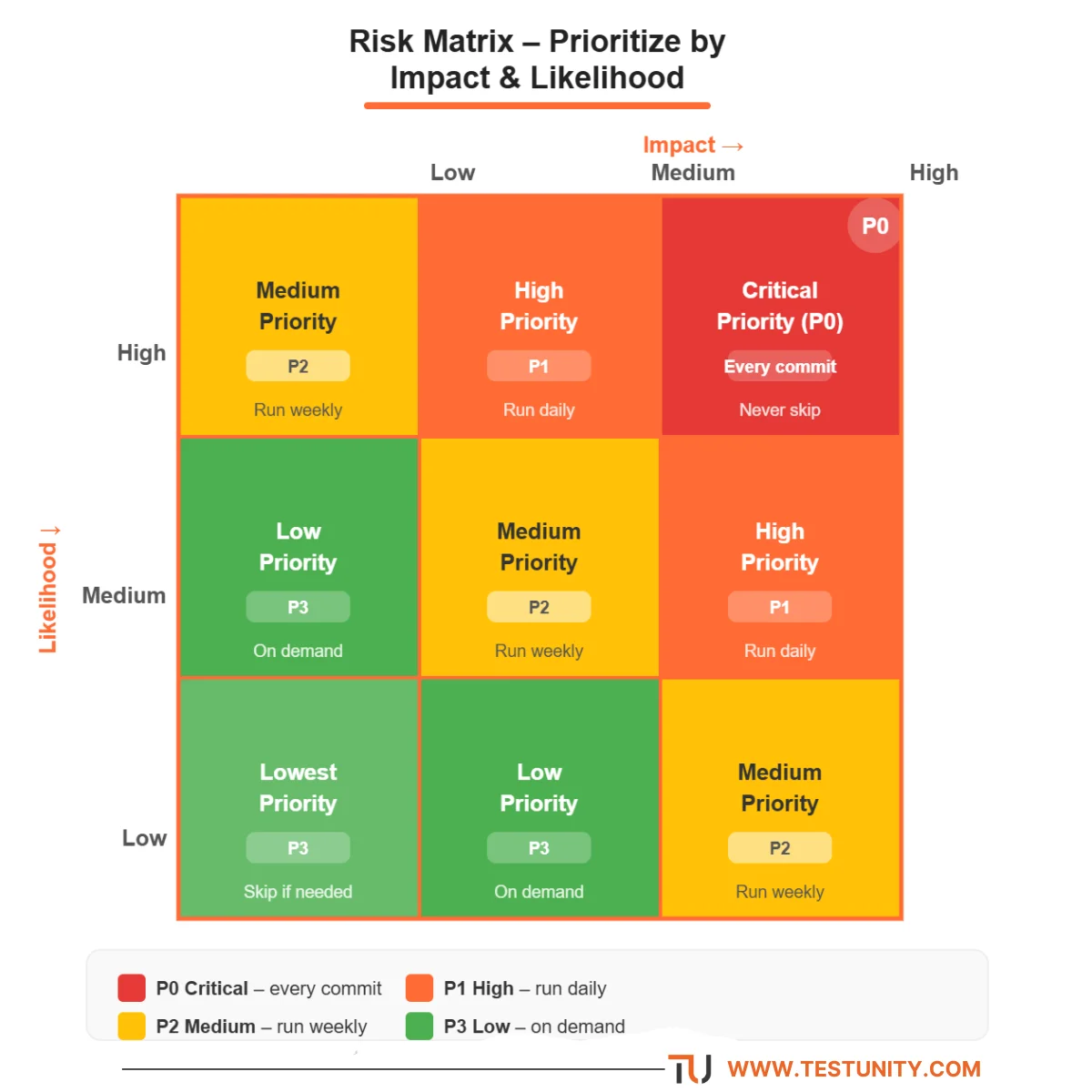
Combine these into a priority score.
| Impact | Likelihood | Priority |
|---|---|---|
| High | High | Critical |
| High | Medium | High |
| Medium | High | High |
| Medium | Medium | Medium |
| Low | Any | Low |
Step 3: Categorise Your Test Cases into Priority Buckets
Now group your tests into three clear buckets:
| Priority | Definition | How to handle |
|---|---|---|
| P0 | Must pass before any release. Covers critical user journeys. | Run on every commit or deployment. Automate these if possible. |
| P1 | Important but not blocking. Covers major features and integration points. | Run daily or before each release. Automate for efficiency. |
| P2 | Nice to have. Edge cases, cosmetic checks, low‑usage features. | Run weekly or on demand. Can be manual or partially automated. |

Once you prioritize test cases into these buckets, you can decide what to test first – always the P0s, then P1s if time permits.
Step 4: Apply Historical Data to Refine Priorities
Your test execution history is a goldmine for smarter test case selection.
Look at the last 3–6 months of test runs. Identify:
-
Flaky tests: Those that fail inconsistently. These erode trust and waste time. Consider fixing or quarantining them. (See our guide on fixing flaky tests, coming soon.)
-
Tests that never fail: If a test has passed 100 times in a row, consider moving it to a lower priority bucket or running it less frequently.
-
Tests that catch bugs often: These are high‑value tests. Keep them at high priority and consider adding more scenarios like them.
Pro tip: Use your CI/CD tool’s test reporting (e.g., JUnit reports, Allure, or built‑in dashboards) to export historical pass/fail data. Analyse it in a spreadsheet to spot patterns.
Real‑World Example: Prioritising an E‑commerce Test Suite
Let’s apply this framework to a typical e‑commerce application.
| Test Case | Impact | Likelihood | Priority | Justification |
|---|---|---|---|---|
| User can log in with valid credentials | High | Medium | P0 | Login is critical; recent changes to SSO |
| User can complete checkout with PayPal | High | High | P0 | Revenue critical; PayPal API recently updated |
| Search returns results for keywords | Medium | Medium | P1 | Important for user experience, but workarounds exist |
| Homepage banner displays correctly | Medium | Low | P1 | Marketing impact, but not business‑critical |
| Footer links work on mobile | Low | Low | P2 | Minor navigation issue |
| Unsubscribe link in email | Low | Low | P2 | Legal requirement, but rarely broken |
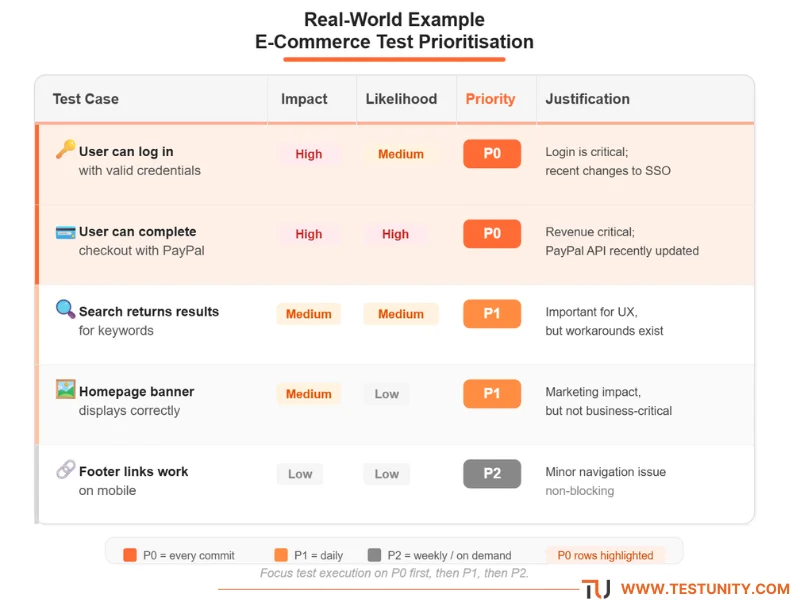
This simple matrix helps you decide what to test first – login and checkout before footer links.
How to Prioritise Test Cases for Different Testing Levels
Your approach to test case selection should vary by test type.

Unit Tests
-
Run all of them. Unit tests are fast (milliseconds each). There is rarely a reason to skip them.
-
Prioritise by coverage. Focus on functions with high complexity or frequent changes.
Integration & API Tests
-
Prioritise by critical data flow. Test payment, user data, and core business logic first.
-
Use your risk matrix. Apply the same impact/likelihood scoring to integration points.
UI / End‑to‑End Tests
-
Be aggressive. UI tests are slow and brittle. Only automate the most critical P0 journeys.
-
Prioritise by user frequency. Test the flows that 80% of users execute daily.
Manual Tests
-
Reserve for exploratory, usability, and edge cases. Only manual test what cannot be automated.
-
Prioritise by risk. If a manual test is low risk and low value, consider removing it entirely.
Tools to Help You Prioritise Test Cases
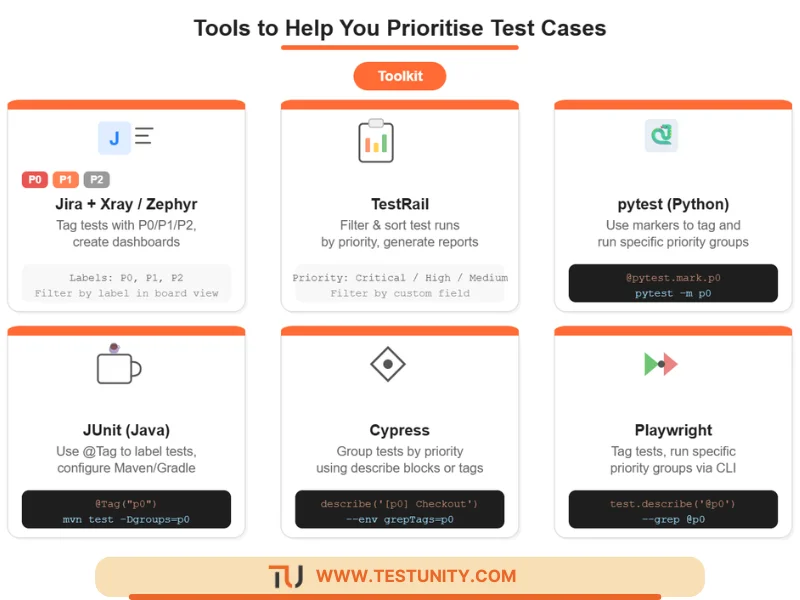
You don’t need expensive tools to prioritize test cases, but the right software can help.
| Tool | How It Helps |
|---|---|
| Jira + Xray / Zephyr | Tag tests with priority fields (P0/P1/P2). Create dashboards to track execution by priority. |
| TestRail | Define custom priority fields. Filter and sort test runs by priority. Generate reports by priority. |
| pytest (Python) | Use markers (@pytest.mark.p0, @pytest.mark.p1). Run only specific markers with pytest -m p0. |
| JUnit (Java) | Use @Tag("p0") and configure Maven/Gradle to run specific tags. |
| Cypress / Playwright | Group tests by priority using describe blocks or tags. Use command line to run specific groups. |
How to Keep Your Priority List From Growing Out of Control
Prioritising once isn’t enough. Your test case selection criteria need regular maintenance.
Quarterly priority review checklist:
-
Remove obsolete test cases (features that no longer exist)
-
Demote tests that have passed consistently for 6+ months
-
Promote tests for new critical features
-
Archive manual tests that are never executed
-
Merge duplicate or overlapping test cases
Set a hard limit. For example: “We will never have more than 50 P0 test cases.” This forces you to constantly re‑evaluate what to test first.
What If You Need Professional Help?
You’ve applied the framework. You’ve categorised your tests. But your suite is still overwhelming, or your team lacks time for test optimisation.
TestUnity’s Quality Assurance services include test suite health assessments and prioritisation workshops. We help you identify redundant tests, implement risk‑based strategies, and build a sustainable regression suite.
Ready to tame your test suite? Contact TestUnity today for a free consultation.
Quick Reference: How to Prioritise Test Cases
| Step | Action |
|---|---|
| 1 | Map your critical user journeys (5–10). |
| 2 | Score each test case by impact (High/Medium/Low) and likelihood (High/Medium/Low). |
| 3 | Assign P0/P1/P2 priorities using the risk matrix. |
| 4 | Use historical data to adjust priorities (remove never‑failing tests, quarantine flaky ones). |
| 5 | Tag tests in your test management tool or code. |
| 6 | Run P0s on every commit, P1s daily, P2s weekly. |
| 7 | Review and adjust priorities quarterly. |

Related Resources
-
Risk‑Based Testing: Prioritising QA Efforts – Core concept behind priority scoring.
-
Essential Test Metrics and KPIs – Metrics that help with prioritisation.
-
Why Are My Tests So Slow? 7 Quick Fixes – Speed up your test suite after prioritising.
-
Test Data Keeps Breaking? A Simple Strategy – Stable data helps prioritisation.

TestUnity is a leading software testing company dedicated to delivering exceptional quality assurance services to businesses worldwide. With a focus on innovation and excellence, we specialize in functional, automation, performance, and cybersecurity testing. Our expertise spans across industries, ensuring your applications are secure, reliable, and user-friendly. At TestUnity, we leverage the latest tools and methodologies, including AI-driven testing and accessibility compliance, to help you achieve seamless software delivery. Partner with us to stay ahead in the dynamic world of technology with tailored QA solutions.



Leave a Reply